Skip to content

The Creative Cloud now allows syncing and installation of any fonts
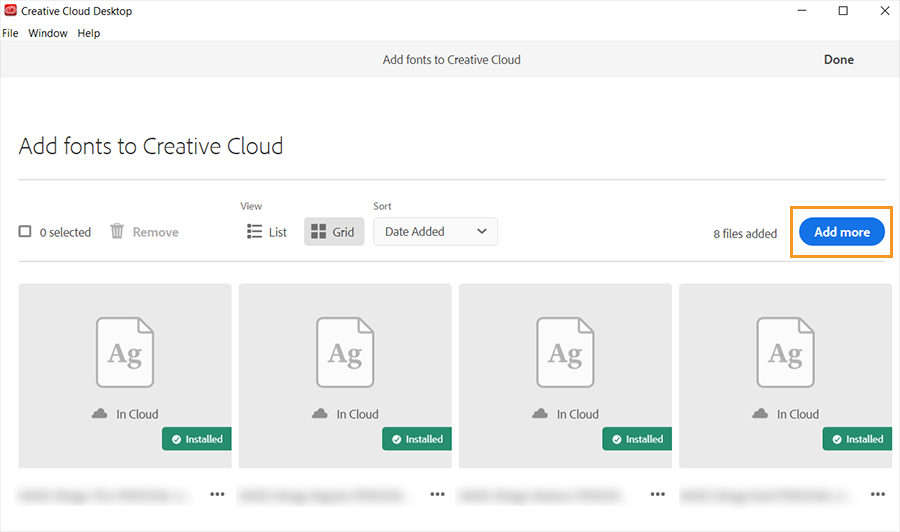
“Access your own fonts across Adobe apps and other desktop applications (such as Microsoft Office) by uploading them to the Creative Cloud desktop app. You can then use these fonts in your creative designs and projects.”

User Feedback

Recommended Comments

Stuart Sandler

Standard Member

By Adobe allowing this use which violates many independent foundries EULAs, it further erodes foundry income by fully eliminating the need for Adobe CC users to ever purchase any additional licensing for use on iOS devices.

Screen Shot 2020-03-23 at 9.16.34 PM.png

Create an account or sign in to comment

Don’t miss the latest typography news!

Typography Weekly via email: Subscribe here

Typography Weekly via RSS feed: Subscribe here

Important Information

We are placing functional cookies on your device to help make this website better.

Account

Navigation

Search

Search

Configure browser push notifications

Chrome (Android)
  1. Tap the lock icon next to the address bar.
  2. Tap Permissions → Notifications.
  3. Adjust your preference.
Chrome (Desktop)
  1. Click the padlock icon in the address bar.
  2. Select Site settings.
  3. Find Notifications and adjust your preference.