Skip to content
Typography Journal:

The awesome Mac OS Catalina fonts you didn’t know you had access to

  • Apple has recently licensed fonts from type foundries such as Commercial Type, Klim Type Foundry and Mark Simonson Studio to be used as system fonts on Mac OS Catalina. But since these fonts are an optional download, many users of Mac OS X are not even aware they have access to them for free.
· 320,327 views · 21 comments

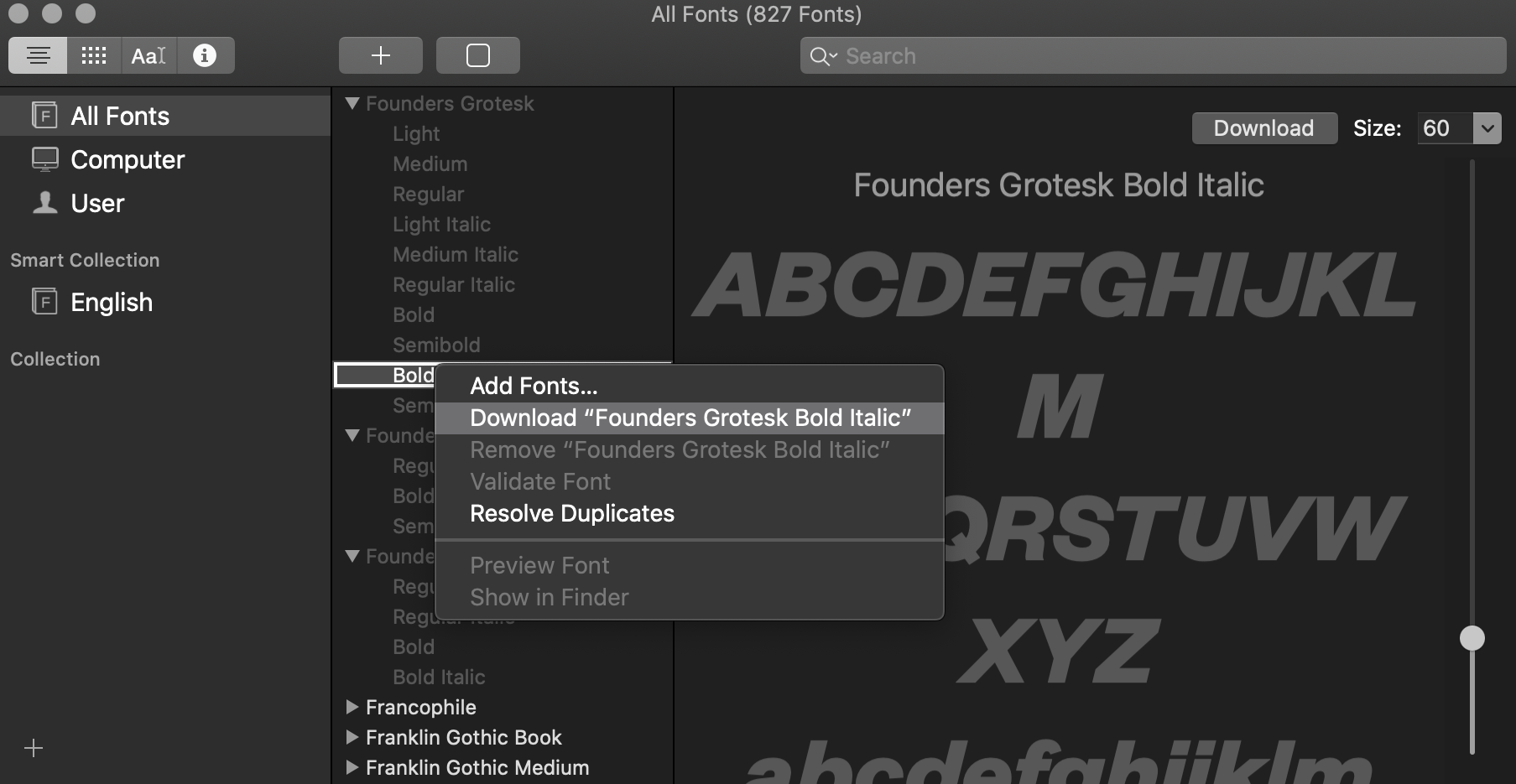
To see and install these optional fonts, open the FontBook application and switch to “All Fonts”. Browse the font list and you will see lots of font families that are greyed out—either because they were deactivated or they weren’t downloaded yet. If you right-click on a font or font family that wasn’t downloaded yet, you see an option to download the individual font or entire family. 
catalinafonts.png

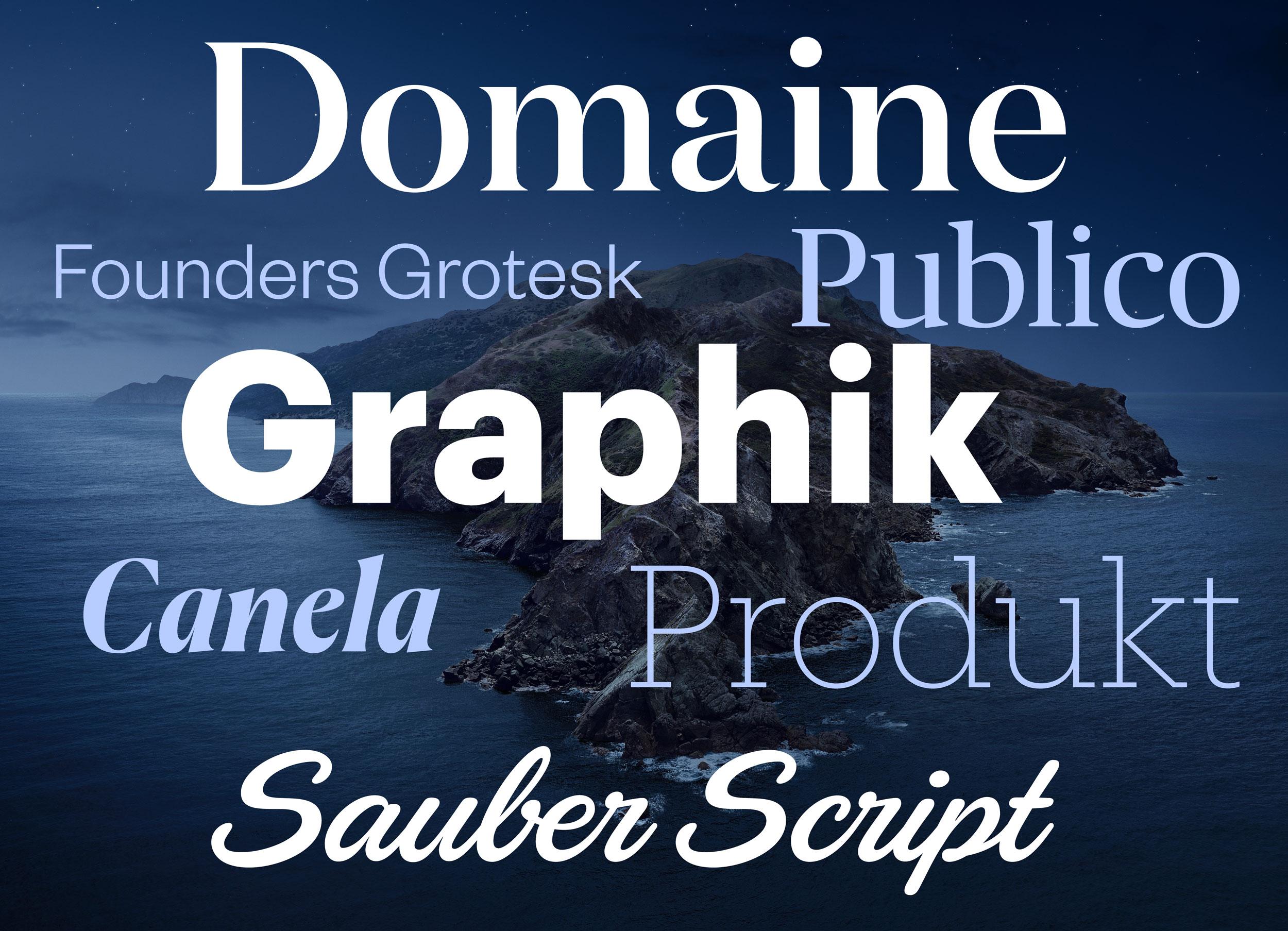
Here are some (Latin) highlights of the available fonts:

catalino-optional-fonts2.jpg

In addition to those Latin fonts, many non-latin fonts are available as well. For a complete list check out this support document. 
☞ https://support.apple.com/en-us/HT210192

User Feedback

Recommended Comments

parambyte

Standard Member

Funny. It doesn't show me these Fonts (either as Greyed out or searchable) on macOS Catalina 10.15.3 in India.

Gwyneth Llewelyn

Standard Member

Now this is really an interesting Easter Egg! I had no idea there were so many licensed fonts that I hadn't activated... yet. Out of those, I just had come across the Publico type. Thanks for figuring this out!

Neal Cassady

Standard Member
On 6/12/2020 at 9:03 PM, Tibor Grimes said:

Legal restrictions only apply to transmission of the font files themselves, not the letterforms they define (which cannot be copyrighted). You do not need to transmit an entire font file to any service bureau to print a logo, you just expand it. You might want to transmit an entire font file to a service bureau to print a book because expanding large volumes of text is impractical. You have to transmit an entire font file to everyone in the world if you want to render it on a web page and this is the main thing that these agreements want to prohibit.

Typefaces are not stock photography. The price you pay has nothing to do with usage. 

This is true for the most part, but you do find foundries setting usage restrictions within their EULA. This is an important factor to look into before you purchase a license.

Also, PDF font subsetting is supposed to aid in situations where you need to "transmit an entire font file to a service bureau to print a book because expanding large volumes of text is impractical". That is, unless you are asking the vendor to carry out edits for you after you've reviewed first round proofs. In which case, you might find yourself in a situation where you are releasing a full packaged InDesign file. And if you do that you need to be reviewing the licenses for the fonts you are packaging to confirm any potential break in the terms before you send off that ZIP.

Create an account or sign in to comment

Important Information

We are placing functional cookies on your device to help make this website better.

Account

Navigation

Search

Search

Configure browser push notifications

Chrome (Android)
  1. Tap the lock icon next to the address bar.
  2. Tap Permissions → Notifications.
  3. Adjust your preference.
Chrome (Desktop)
  1. Click the padlock icon in the address bar.
  2. Select Site settings.
  3. Find Notifications and adjust your preference.