Support for variable fonts was added to Illustrator with the 2018 version of the Creative Cloud. Variable fonts are shown with an “O VAR” symbol in the font menu. Since most variable fonts contain the word “variable” in the font family name, you can also type “variable” in the font menu to narrow down the selection to variable fonts only.
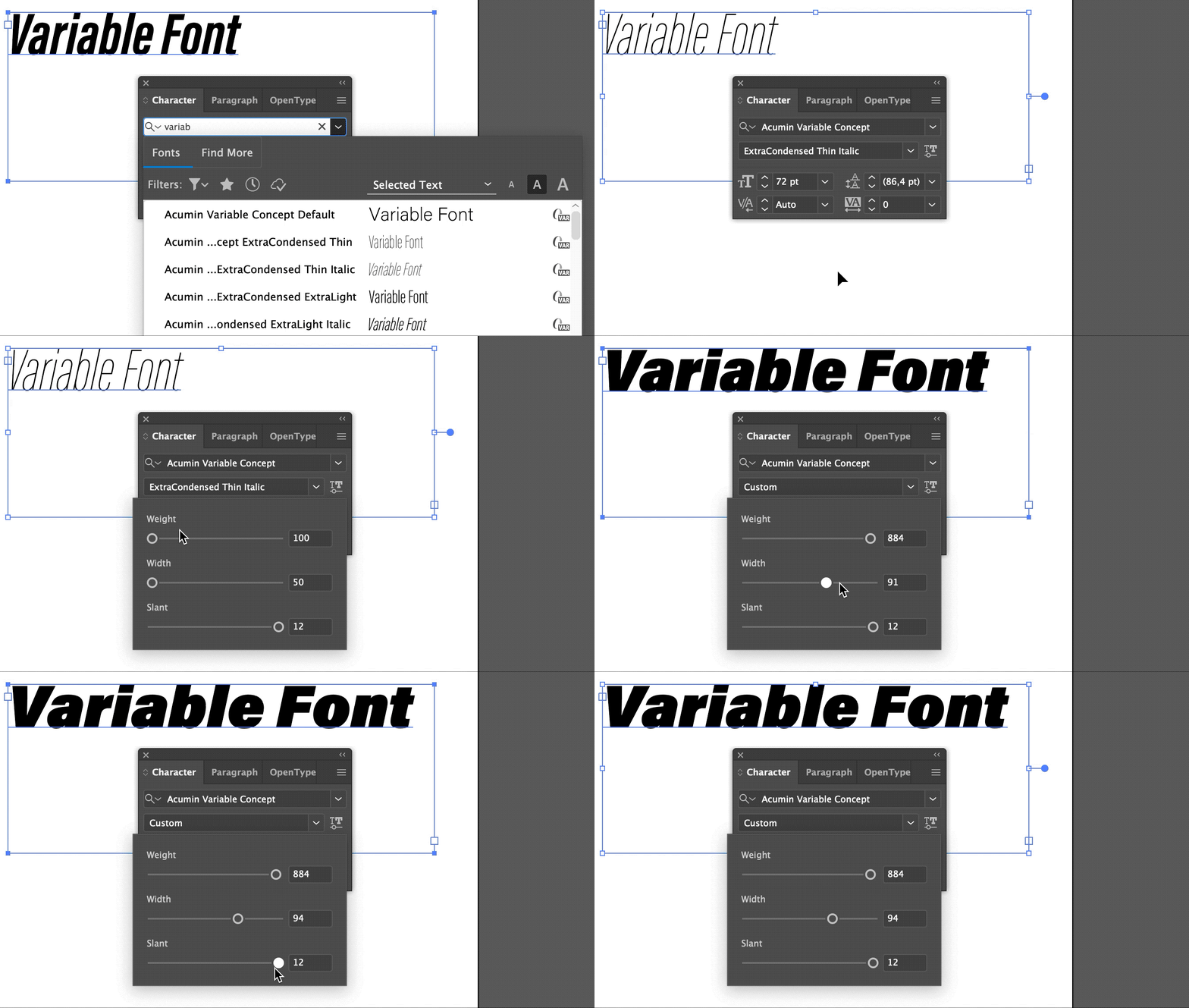
Once you have a selected a variable font, a new “variable font” button will appear next to the font style dropdown menu. If you click it, Illustrator will show the sliders for the design axes of the active variable font.
When slider values are chosen which do not match the named instances, the style will be shown as “custom” in the font style dropdown menu.