



- By: High-Logic B.V.
- Platform: Windows
- commercial
- Purpose: Font Manager
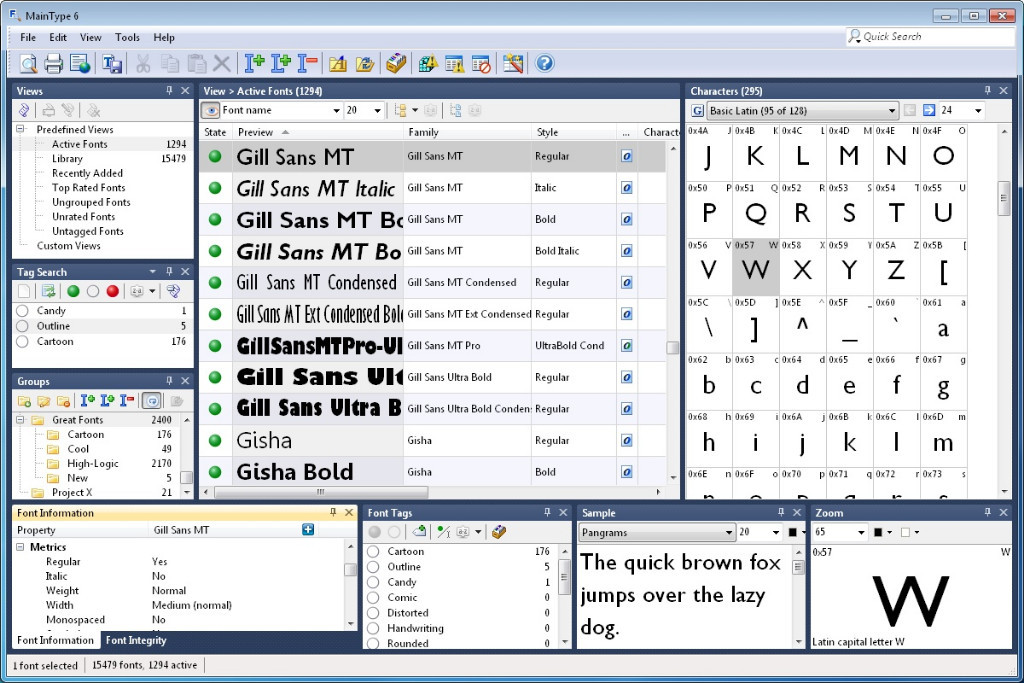
MainType is font manager and font viewer for Windows. It supports all common font formats: TrueType, OpenType, TrueType Collections, and Postscript Type 1 fonts. Unlike simple font preview applications, MainType is designed for graphic artists, typographers, and other power users who demand high-end functionality such as network support, plug-ins, advanced categorizing, searching capabilities, and fast searches for the fonts that you need.
Features:
- Load, install, and uninstall fonts
- Auto-activation plug-ins for Adobe Creative Suite (InDesign CS5, CS5.5, and CS6)
- Preview and browse fonts without installation
- Full Unicode support
- Detect invalid and corrupt fonts
- Resolve font conflicts
- Character grid with Unicode block navigation
- Network support allows access to fonts that are stored on a network drive
- Advanced categorizing and search capabilities
- Print and print preview your fonts
- Support all popular font formats and more: TrueType, OpenType, TrueType Collections, Postscript Type 1 fonts
- Insert characters into background applications
- Font export wizard generates a HTML-based overview of all your fonts
- Easy backup and restore your font library


Create an account or sign in to leave a review
There are no reviews to display.