Apps
45 directory entries in this category
-
The Character Viewer is the character map tool that is bundled with Mac OS X. It allows to access Unicode-encoded characters and it shows which installed fonts include the chosen character. The recent versions don’t support a font-specific glyph overview anymore, so PUA glyphs and unencoded glyphs are not supported. The Character Viewer can be accessed through “Edit > Special Characters” in supported apps, through the shortcut “Control Command Space”, or by adding it globally to the menu ba
- Character Tool
-
Art Text 3 is graphic design software for creating lettering, typography, text mockups and various text effects on Mac. Quickly and easily create works of art out of regular fonts. Create sophisticated title art for Keynote and Powerpoint presentations, logos and icons, web and social media channel graphics. Ready-made templates for 2D and 3D text graphics. Fill tools - gradient presets, textures and shading materials. Masks for adjustable shadow and glow effec
- other
-
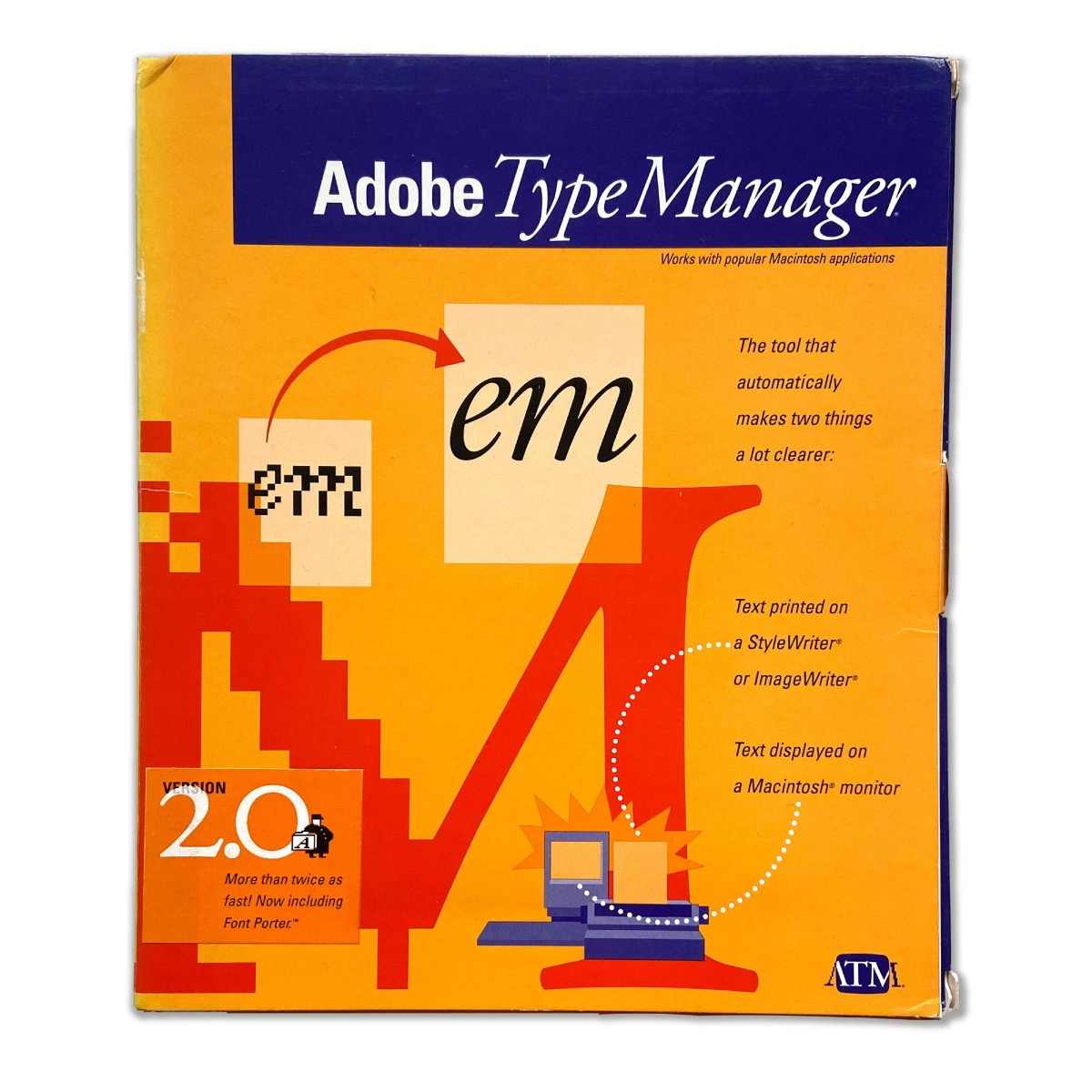
Scalable outline fonts as we use them today became widely available with the introduction of PostScript and PostScript-enabled printers in the middle of the 1980s. But the high-quality output was only created on the printer itself. Screens and printers without PostScript support continued to use bitmap fonts. Mac OS didn’t gain native support for scalable fonts until the introduction of TrueType in Mac OS 7 in 1991. In order to render PostScript fonts from the actual outline on screen or to prin
- Font Manager
-
BabelMap is a free character map application for Windows that allows you to browse through the entire Unicode character repertoire, or search for a particular character by name or by code point. Characters can then be copied to the clipboard for use in any Unicode-aware application. It also provides many useful features and special utilities, as described below. An online-version is available here: http://www.babelstone.co.uk/Unicode/babelmap.html
- Character Tool
-
BirdFont is a free font editor that can export TTF, EOT & SVG fonts. BirdFont is developed by Johan Mattsson with a good number of people contributing translations and patches. The editor is written in Vala. Installers and source code packages are available for Windows, Linux, Mac OS X and BSD.
- Type Design
-
BitFonter is a professional bitmap font editor for Mac OS X and Windows. It allows creative professionals, web designers and manufacturers of electronic devices to create and modify bitmap fonts for print publications, web pages, animations, computer games and electronic devices, convert between bitmap font formats as well as from and to outline font formats, and apply special effects to your outline fonts when used together with TypeTool, FontLab Studio or AsiaFont Studio. Opens: BitFonter 3
- Type Design
-
DTL OTMaster is an application (Windows and Mac) for reviewing, editing and altering tables and contours of OpenType fonts (.otf and .ttf), TrueType fonts (.ttf) and TrueType Collection (.ttc) fonts, including CID-keyed OpenType fonts, CJK (Chinese, Korean, Japanese) and complex-script (Indic, Arabic etc.) fonts. OTMaster 5 adds support for all the competing color OpenType font extensions: Microsoft “COLR”/“CPAL”, Adobe “SVG ”, Apple “sbix”, and Google “CBDT”/“CBLC”, bringing it in sync with th
- Type Design
-
FontAgent Pro is a professional font manager for Windows and Mac OS. It lets you organize, view, compare, select, activate, print, export, archive and manage all your fonts. It includes auto-activation plugins for Adobe and Quark apps. There are also additional server and cloud options available to manage the fonts across teams.
- Font Manager
-
FontArk was a browser-based font editor with a real-time multiple glyph editing system. FontArk’s Skeleton based design doesn’t require you to draw the actual character outlines. In order to draw a letter all that is needed is to draw the center-line of the letter and the outline is generated automatically in real-time. The app seems to be discontinued.
- Type Design
-
FontBase is a “freemium” font manager available for Windows, Mac OS and Linux. Some free features: Collections. Create and manage collections and explore the default ones. Activate them in a single click. Specimen Page. See all font styles on a single page, discover combinations and weights. Also: glyphs. Google Fonts: Use any font from Google's library in a single click! As if it were local. OpenType Features. The largest set of supported OpenType features of any fon
- Font Manager
-
-
“Fontcase is an [open source] app that lets you install custom fonts on iOS and iPadOS. Import fonts from your iCloud Drive or Dropbox and add them to your collection of favorites. Tap on any listed font and you'll get a preview of the characters along with other metadata. When you're done collecting, install your fonts in Settings and they'll be available in other apps”
- Font Manager
-
FontCreator is a commercial Windows-only font editor developed by the Dutch company High-Logic B.V. Features: Create and edit TrueType and OpenType fonts Create and edit Web Open Font Format (WOFF) fonts Create and edit scalable color fonts Redesign existing characters Add missing characters Add up to 65,535 glyphs per font Import vector files (EPS, AI, PDF, etc) and bitmap images (BMP, GIF, PNG, etc) Add OpenType Layout Features Fix character mappings Correct fonts that display inco
- Type Design
-
FontExpert is a commercial font manager for Windows from the Russian company Proxima Software. FontExpert 2014 Font Manager enables you to preview and manage both installed and uninstalled typefaces, plus examine your system for font errors. You can display the list of installed font faces, customizable font samples and advanced font properties. FontExpert 2014 Features: View and Preview Fonts: FontExpert displays the list of all installed typefaces and lets you explore folders and preview un
- Font Manager
-
FontExplorer X Pro is a commercial font manager from Monotype. Some features: user-defined sets and smart sets, e.g. fonts by language support Systemwide auto-activation of fonts Clear system and application font caches (Adobe, Microsoft, Quark) Fonts.com subscription fonts or Google Fonts via SkyFonts delivery technology Activation control with application-based sets and font request view Customizable Print functionality Import, organize an
- Font Manager
-
FontForge (originally PfaEdit) is an open source font editor primarily. It is available for several operating systems (including Linux, Windows and Mac OS X) and is localized into 12 languages. The main developer of the app is George Williams. FontForge supports a wide variety of font formats. Its native Spline Font Database format (.sfd file name extension) is text-based and facilitates collaboration between designers, as difference files can be easily created. FontForge also supports the inter
- Type Design
-
Interactive Previewing and Comparing “FontGoggles is a font viewer for various font formats. It is a desktop application for macOS. It is free and open source. The main focus is text behavior, specifically text shaping and variation behavior.”
- other
-
FontLab is both the name of a company, FontLab Ltd, and the former name of their flagship font editor product, now called FontLab Studio. After Fontographer from Altsys was acquired by Macromedia and the development of the product was stopped, FontLab became the most-used font editor for professional type designers. FontLab Studio is a complete font editing solution, which can be used for all steps of a font creation process: drawing, OpenType scripting, hinting, converting. The original ma
- Type Design
-
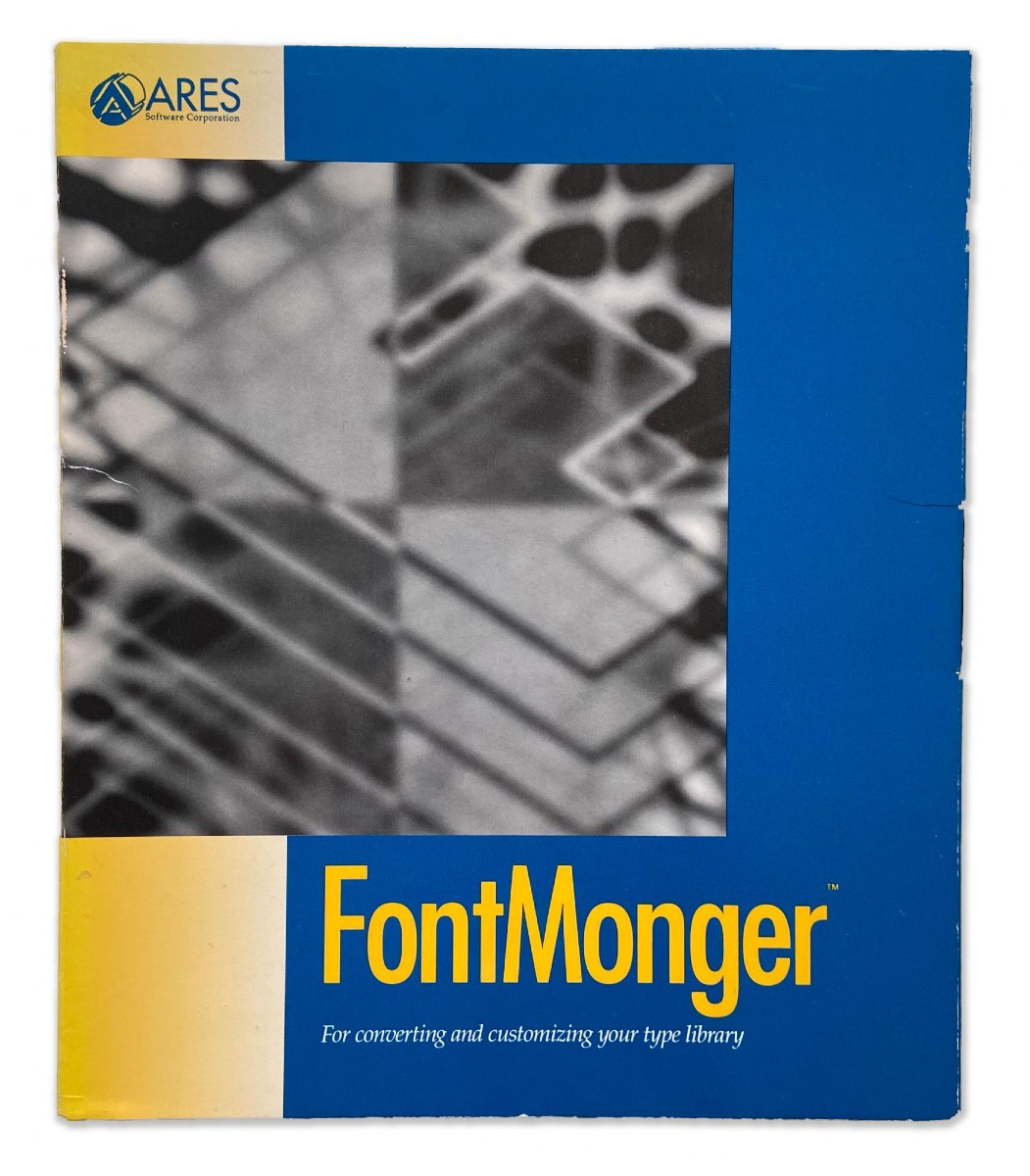
FontMonger was a font conversion utility created by the ARES Software Corporation. It converts between PostScript 1, Type 3 and TrueType. In addition, the software adds limited font editor capabilities. Fore example: Characters from different fonts can be merged; keyboard positions can be relocated; subscript, superscript and fractions can be created. The ARES Software Corporation was founded in 1990 and produced several font-related software applications. After it was acquired by Adobe, a
- Type Design
-
Fontographer is a font editor that was originally developed by Altsys but is now owned by FontLab Ltd. Fontographer was developed by James R. Von Ehr for the Mac and released in January 1986. It was the first commercially available Bézier curve editing software for a personal computer. This made the development of typefaces cheaper than ever before. In 1995, Altsys was acquired by Macromedia and Fontographer were incorporated into the Macromedia product lineup. Although development of the fon
- Type Design
-
Fontra is an open-source, browser-based, cross-platform, variable-first font editor. It is developed by Black[Foundry] and Just van Rossum with support from Google.
-
Fontself is a plugin for Adobe Illustrator (CC), which can turn any vector shapes into glyphs of a font through drag and drop only. It works both on Windows and Mac OS. The basic metrics of the glyphs can be adjusted, but functionalities such as kerning or OpenType feature for ligatures and alternate characters are not yet available.
- Type Design
-
FontStruct is a free browser-based font-building tool. FontStruct lets you quickly and easily create fonts constructed out of geometrical shapes, which are arranged in a grid pattern, like tiles or bricks. Once you're done building, FontStruct generates high-quality TrueType fonts, ready to use in any Mac or Windows application. You can keep your creations to yourself, but the makers encourage users to share their “FontStructions”, so other users can download them or even copy them and make yo
- Type Design
-
GlyphCollector is a desktop application for typeface revival projects both as a production and research tool. The tool is meant for collecting multiple representations of glyphs from a scanned page and for subsequently generating an average image. One has to select one glyph of each character that has to be converted. Next GlyphCollector will gather all characters for which it finds a reference and will put these per character in a folder. Subsequently for all selected characters an average
- Type Design
-
Glyphr Studio is a free, web based font editor. Features: Editing Tools: Create complex vector shapes, copy & paste, flip them around or lock them down, drag & resize to your heart's content. Lots of the normal stuff you’d expect, like a pen tool, guidelines, keyboard shortcuts, and Undo history. Linked Shapes: Define a shape once, like an o, and re-use it across many characters, like bdgpq. Make changes to the Linked Shape, and it updates all the characters linked to it. Test Drive
- Type Design
-
Glyphs is a Mac-only font editor developed by Georg Seifert. In contrast to other font editors Glyphs is built around the the concept of editing glyphs in a word context. All tools are optimized for a type design workflow as natural, quick, and easy as possible. There is no need for keeping a design version next to a production version of a font. The “font mastering” takes place automatically during export. By default, Glyphs automates a many technical details for the designer, but they can be
- Type Design
-
MainType is font manager and font viewer for Windows. It supports all common font formats: TrueType, OpenType, TrueType Collections, and Postscript Type 1 fonts. Unlike simple font preview applications, MainType is designed for graphic artists, typographers, and other power users who demand high-end functionality such as network support, plug-ins, advanced categorizing, searching capabilities, and fast searches for the fonts that you need. Features: Load, install, and uninstall fonts Auto-a
- Font Manager
-
MetricsMachine is a commercial kerning app for Mac OS X developed by Tal Leming (TypeSupply). MetricsMachine is streamlined for a professional workflow: you create groups of similarly shaped glyphs, then you create lists of pairs that you want to proof, then you proof those pairs one at a time until you are finished, then you export your kerning to an OpenType ready feature file.
- Type Design
-
Nexus Font is a free and simple font manager for Windows. It works with the system fonts or with fonts it finds in certain locations on the hard drive. The app can also deal with duplicate fonts and has a built-in character map.
- Font Manager
-
Nib is a browser-based app for real-time collaborative type design. It's a font editor with figma-like multiplayer features, such as cursor chat, comments, and organizations. Nib also sports many advanced bezier curve and glyph editing features such as: Reference image overlays Broad-nib, round-tip, and expressive brush tools with adjustable size/angle/velocity Pen, Spiro (ala FontForge), freehand, line, and shape tools Fine-grained point editing (segment move, tangent-locked move, bend, and
- Type Design
-
PopChar is a commercial character map tool for Windows (PopChar Win) and Mac OS (PopChar X). Main features: Inserts special characters right into your document. Full Unicode support with different comfortable views and pop-up menu for quick navigation. Search for characters by name, by Unicode number or by simply pasting some text from your document into the search field. Find characters by drawing their shapes. Find similar characters. Font preview and sample text views Font informati
- Character Tool
-
Prototypo is an open-source online typeface editor. After a year of R&D and private beta testing, Prototypo is now publicly available with a launch price of $8 per month. Prototypo is developed since 2013 by Yannick Mathey and Louis-Rémi Babé in Lyon.
- Type Design
-
RightFont is a simple app for Mac OS X for choosing fonts. Main features: Instant access from any app through the menu bar Star rating system to find favourite fonts easily Create & manage font collections (coming soon) Direct access for apps like Adobe Photoshop, Sketch, Etc. Instant search results as you type Change font preview & font size in realtime automatic categorization by font style and width
- Font Manager
-
RoboFont is a UFO-based, mac only, font editor by Frederik Berlaen. The editor allows full scripting access to objects and interface. The application is a platform for drawing and modifying typefaces.
- Type Design
-
Suitcase Fusion is a commercial font manager for OS X and Windows from the Oregon-based company Extensis. Some features: auto activation for Adobe and Quark apps user-defined folders/sets and “Smart Sets” “QuickMatch” shows similar local fonts Cloud-based archive & restore functionality Typekit and Google Fonts connection FontDoctor app included
- Font Manager
-
Superpolator is an app for creating multi-dimensional interpolations between different fonts. The app was developed by Erik van Blokland.
- Type Design
-
Type 3.2 is a commercial font editor developed by the New Zealand company CR8 Software Solutions Ltd. It is available for both Windows and Mac OS X. Feature list: Formats supported Open and save: TrueType (.ttf), OpenType PS (.otf), Type 3.2 glyph data (.gfs) Open only: TrueType collection (.ttc) Transfer glyphs from: All of above, plus Type 1 (.pfa, .pfb), Mac TrueType (.dfont) Editing Edit all font metrics, meta-data and names. Easy font renaming tool. Up to 6
- Type Design
-
Type Case is an app for Mac OS X to preview fonts without installing them. Instead, folder are dragged onto the app and can then be inspected and tested with custom texts.
- Font Manager
-
The Type font editor has been continuously developed since 2006 by CR8 Software Solutions—an independent software vendor located in Auckland, New Zealand. Features: Interactive autotrace: Type 3.2’s unique autotracer takes the guesswork out of vectorising handwriting and drawings. Showing you a real-time preview as you adjust filter and trace settings. Composite glyph wizard: Take the hard work out of diacritics. Type 3.2’s composite glyph wizard will add accented characters to your typeface
- Type Design
-
Typeface is a fast and easy to use font manager for Mac OS X. Typeface lets you explore all your installed and imported fonts with live customization of preview text and size. It supports OpenType, variable fonts and color fonts. Categorization is done through tags.
- Font Manager, Character Tool
-
TypeTool is a basic font editor for Mac OS and for Windows for students, hobby type designers and creative professionals who occasionally need to create or customize fonts. The app is basically a light version of FontLab Studio. It can import and export a wide range of font formats, but the user cannot manually edit OpenType features.
- Type Design
-
Ultra Character Map lets you access any character or glyph in any font and use it in other apps. It also lets you do side-by-side font comparisons, print font catalogs, view detailed character and font information (including the keystroke combinations that produce special or accented characters). Main Features: Access any character, symbol or glyph in any font and use it in your documents. Create your own clip art by applying colors and 3D effects to any character, symbol or glyph. Ultra
- Character Tool
-
Exploration Unicode number and UTF encodings for each codepoint Related codepoints and decomposition Browsing by plane, codepoint number or character block Unihan data such as definitions, variants, pronunciations and older encodings for many Asian codepoints Finding code points by name or their Unihan definition Finding codepoints via Spotlight Conversion To and from: HTML, CSS, URLs, IDNA and various programming languages Unicode Normalisation with an indication whether the string
- Character Tool
-
Character Map in the name of of a tool bundled with Microsoft’s Windows operating system. It lists all plane 0 Unicode-encoded characters of any installed font. On Microsoft Windows XP, Windows Vista, and Windows 7, the utility is in All Programs → Accessories → System Tools → Character Map in the Start Menu. Beginning with Windows Vista, the user can also type the name of the utility in the Start Menu search box.
- Character Tool