


- Released/Published: 2013
- By: Keith Houston
- Publisher : W. W. Norton (USA) / Particular Books (UK)
- ISBN: 9780393349726 / 9781846146473
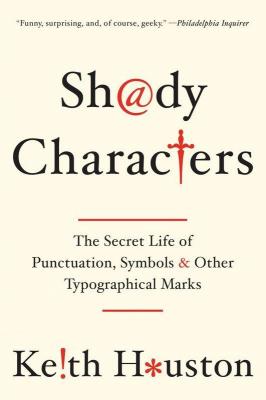
Shady Characters: The Secret Life of Punctuation, Symbols, & Other Typographical Marks (USA), or Shady Characters: Ampersands, Interrobangs and Other Typographical Curiosities (UK), is an illustrated companion book of the website Shady Characters: The secret life of punctuation.
“Shady Characters weaves a fascinating trail across the parallel histories of language and typography. Whether investigating the asterisk (*) and dagger (†)—which alternately illuminated and skewered heretical verses of the early Bible—or the at sign (@), which languished in obscurity for centuries until rescued by the Internet, Keith Houston draws on myriad sources to chart the life and times of these enigmatic squiggles, both exotic (¶) and everyday (&). From the Library of Alexandria to the halls of Bell Labs, figures as diverse as Charlemagne, Vladimir Nabokov, and George W. Bush cross paths with marks as obscure as the interrobang (‽) and as divisive as the dash (—). Ancient Roman graffiti, Venetian trading shorthand, Cold War double agents, and Madison Avenue round out an ever more diverse set of episodes, characters, and artifacts.”
Create an account or sign in to leave a review