Typography Journal
Articles from the field of typography.
Design “Dresden” with a an arc at the top left
This is the design most typefaces use. It works like a capitalized form of the lowercase character (ß). But in contrast to the lowercase design it has a diagonal stroke at the top right in order to differentiate it from the letter B.
Note how wide the character is in those examples. Designs that start from the lowercase ß can easily be too narrow, which might not be ideal among the other uppercase characters.
Typeface shown above: Espinoza Nova, Henriette, Ernestine, Scotch Modern, Andron, Museo Slab
Design “Dresden” with a corner at the top left
In the sample shown above, the arc on the top left is derived from the lowercase letter ß. Some designers think, that such an arc doesn’t work well within the Latin uppercase letters. So, to avoid this “lowercase look”, one could draw the top left of the Capital Sharp S as a corner. This works especially well with more geometric typefaces.
Typefaces shown above: Iwan Reschniev, Backstein, Hypatia Sans, LiebeRuth, Rooney
Design “Leipzig”
This design uses a clearly visible S as the right part of the Capital Sharp S. It works especially well with typefaces with a more calligraphic look. Very few typefaces use it, even though it is an interesting design that doesn’t cause any ambiguity problems.
Typefaces shown here: FF Oneleigh, Numina, FF Fontesque
Design “Zehlendorf”
This is a new approach that was introduced by Martin Wenzel and Jürgen Huber within their design for the corporate typeface of the German government. They named it “Zehlendorfer Form” after the district in Berlin where their office is located. Its design falls right between “Dresdner Form” and “Leipziger Form”. It doesn’t use a diagonal stroke in the top right part, but a narrow S-like arc. The white-space and width of the character makes it very distinct. Its very legible and cannot be mistaken for a B.
Conclusion
Up to this point in time, the design model “Dresden” is clearly the most popular one for designing the Capital Sharp S. But I would be happy to see more of the design model “Leipzig” (third letter) and “Zehlendorf” (fourth letter) in the future.
What not to do: A rounded top right segment
Not all Capital Sharp S designs are convincing yet. The problem I have seen most is to stick too close to the lowercase design of ß and give the Capital Sharp S a rounded top right part. This results in something like an “ugly B”, but cannot be read easily as sharp S (ẞ). I suggest this simple test: First, cover the left side of the letter. Now check: can the remaining right side be read as a B? Then the design should be improved.
What not to do: Using a double S design
I have seen several typefaces which just put SS in the slot for Capital Sharp S. This is like putting two independent V in the slot for W. Yes, there might be a historic, typographic or orthographic connection, but it’s still wrong. The Unicode slot U+1E9E was created for the character Capital Sharp S. A W is not the same as VV and ẞ is not the same as SS. If you don’t like the idea of a Capital Sharp S, you better not use U+1E9E at all. But don’t put a double S in it. In the same vein, don’t try to create an uppercase SS ligature as Capital Sharp S. The whole point of the Capital sharp S is, that ß and ss represent a different pronunciation nowadays and without ẞ this difference cannot be maintained in uppercase-only typesetting. So an SS ligature doesn’t solve anything. It is just read as SS and not as a representation of the sharp S character.
- 4 comments
- 43,280 views
Reading is done without consciously recognizing letters[1]. Nevertheless letters constitute an important aspect of determining legibility[2]. Letters need to be decoded in order to obtain meaning. Reading is a complex, cognitive and fast process. Children having serious problems with reading are at an increased risk to end up in a cycle of failure[3]. When reading is a slow and cumbersome process, it will have consequences for the cognitive behaviour and motivation. A person whose reading process is impeded is less able to develop both intellectually and socially. Because most of the process of learning to read is finished after the age of 9 it is important that children who encounter difficulties are supported in the initial stages of this process[4].
Due to the low quality level of visual input they receive in the form of printed text, beginning visually impaired readers are at a disadvantage in comparison to their peers. The reading process is disturbed due to a reduction in visual input[5]. Children with a visual impairment have problems with the decoding of words, the deciphering of visual patterns and the recognition of letters. Because their decoding is hampered, the reading speed is lower, which eventually can lead to cognitive problems. To improve the visual input, a lot of attention goes to optical reading aids or the use of large print. Large print is often seen as a quick fix to show that efforts have been made for the visually impaired. Research has shown that large print books are not so effective for the technical reading process for most of the children with low vision[6].
research and design
In the past, typography has often been looked upon as a useful instrument to improve the legibility of the printed reading material that is being offered to children with low vision. However, the legibility research efforts that were at the base of this conception were not always of good quality. For the cognitive scientists this is all too often caused by inadequate domain knowledge of typography. For the designers, this is due to a merely intuitive way of approaching legibility research[7]. Many legibility studies focusing on the influence of design, both within cognitive science and within the design world, lack internal and/or external validity. This internal and external validity should be a prerequisite. Internal and external validity means that the testing material allows for isolating the effect of different design parameters on legibility (internal validity) and that the testing material allows for discussing the result with regard to printed matter used in daily life (external validity). Moreover, most legibility research focused on people with low vision in general, ignoring the fact that visually impaired children constitute a very particular group with specific issues. Both the fact that their reading process has just started, as well as the fact that their visual impairment is not caused by ageing, make it difficult or even impossible to simply transfer results.
Another problem within the existing legibility research is the confusion regarding the term legibility. Many different groups of people (e.g. typographers, linguists, educationalists, ergonomics, psychologists, etc.) use the term and give it a personal related meaning without explicitly explaining it. The explanation is of importance to make legibility studies comparable. Within my PhD dissertation legibility is the ease with which visual symbols are decoded. This definition arose from the description of reading. Reading means: transposing visual symbols and converting them into linguistic meanings. To concisely define the term legibility attention goes to the two global and successive steps that occur when reading. Decoding and the acquisition of meaning, or the sensoric and the cognitive aspect of reading. Decoding or the sensoric aspect in reading is the conversion of the purely visual representation of words (which are not yet related to the meaning of these words). The definition used in this study is clearly related to this first sensoric aspect of reading.
Comprehensive legibility research takes into account a clear definition and both scientific methods and typographic practice. A designer-researcher is able to combine these two and thus guarantee the internal and external validity of the test material. The methodology of the design research is systematically constructed. The design is the point of focus throughout the research. The methodology starts with the context which is shaped by theoretical research (consisting both of scientific and typographic matter) and practical work from other designers (mainly typefaces). This context will lead to an initial design that ultimately results in testfonts. During the process of designing the test typefaces the focus was on parameter designs. Departing from two existing typefaces (serif [DTL Documenta] and sans-serif [Frutiger]) a number of derived typefaces (five different parameters) was designed: variable x-height, conventional contrast, unconventional contrast, direction and rhythm. The five parameters were used to examine the balance homogeneous-heterogeneous in both form and rhythm. Using the concepts of homogeneity and heterogeneity we can say that in general sans serif typefaces are homogeneous within their letter forms and heterogeneous within their rhythm. With serif typefaces it is the other way around (certainly for serif typefaces based on the 20th century model): they are heterogeneous within their letter forms and homogeneous within their rhythm. Theoretical and practical insights concerning legibility in low vision children pointed in the direction of more heterogeneity. Notice that we never tested very extreme forms of heterogeneity.
Experimental test
The typefaces were tested by means of experimental (quantitative evaluation) and subjective (qualitative evaluation) legibility research. Both children with good eyesight and low eyesight were selected in order to study the reading skills and reading experiences in visually impaired children. For the experimental part a psychophysical method was applied, presenting the children with pseudowords in the test typefaces for a short time on a computer screen, registering the number of errors. Taking into account the legibility definition used in this study, it were mainly the decoding skills of the children with low vision that were needed for the execution of this task. Moreover, pseudowords were used because these specific nonexistent words are the perfect carriers of the basic fonts and their derived fonts since phonological rules and convention within letterforms remain, while semantic knowledge and the influence of the context are excluded. In the subjective part of the project reading experiences of children who were confronted with the test typefaces were examined. The children were asked to rank the test material, 12 fonts, by the legibility of the fonts. In het meanwhile it was examined which factors played a role in their subjective judgement by means of dialogue. Through the subjective legibility research, I was intensely involved with my target group before I started with the development of a final design. The feedback and the interaction with the children were of great importance for the design of the final typeface. The type designer very rarely gets immediate feedback from his readers. Type designers have always been very far behind the frontline when it comes to contact with the readers. The graphic designers, typographers, editors and publishers stand as a filter between the type designer and his readers.
The legibility research results showed a rather early conditioning with daily reading material in beginning readers. Children associated sans serifs with school and considered them to be writable; serifs they associated with literature (e.g. books and newspapers) and they considered them to be difficult to reproduce themselves. The non-visually impaired children generally perceived the most conventional typeface as being the most easily legible one. Amongst the visually impaired children this was not always the case.
Some of the children experienced social pressure to choose a normal letter. A remarkable finding is that children with normal vision read significantly better when the serif typeface DTL Documenta was used, instead of the sans serif Frutiger. This result is somewhat surprising because children (especially beginning readers) are mainly confronted in primary school with a sans serif. Zuzano Licko’s (1990) known quote: ‘…the readers read the best what they read most’ is thus jeopardized, certainly for beginning readers in the age group of 5-10 years. The teachers’ belief that letters for beginning readers should look as simple as possible and should reflect handwriting is falsified by this study. In visually impaired children the difference between both typefaces is less pronounced. During the reading (decoding) process non-visually impaired children appear not to be hampered by a homogeneous rhythm, but rather by a homogeneous form. The children with low vision however, seemed to be hampered more and even in particular by a homogeneous rhythm. Within the DTL Documenta font set (the basic font with a homogeneous rhythm) the design parameters – rhythm and direction – that made the rhythm the most heterogeneous, had the most positive effect on legibility (in terms of decoding). It appears that for visually impaired children a more irregular rhythm is beneficial for their reading. Also it may be so that a certain degree of formal heterogeneity offers support (as we saw with the normally sighted children).
Matilda typeface
Starting from these findings, together with my own understanding, knowledge, intuition and ideas as an design researcher, a typeface called Matilda was designed that is able to provide support for the target group of visually impaired children in the first stages of the reading process. The new typeface is similar to the basic fonts DTL Documenta and Frutiger in terms of letter width and text colour. Matilda is based on a serif typeface, in order to reduce the gap between the reading material for non-visually impaired children and those with low vision. Furthermore design parameters within the DTL Documenta font set had the most positive effect on the decoding skills for children with low vision.
Matilda is in full development and a growing type family (also ready to test within new legibility research). The typeface includes a serif, an italic, a bold, a sans serif. Matilda is also extended by the design parameters that were most helpful to improve the decoding process of children with low vision. These are mainly the parameters rhythm and direction. More research will be done because it would be interesting to know in which a lesser degree is still helpful. Also the outcome of interaction effects would give more insight in legible fonts for children with low vision (and human perception). The main characteristics of Matilda are wide, open and round letters which have a friendly feeling. The letters are dynamic and solid, constructed and organic. The letters are built on a rather stable and vertical axis. The curves are open, the serifs are asymmetric, convex and concave. There are ball terminals to emphasize the letter terminations to augment its individuality and distinctiveness. The low contrast in the letters is necessary to easily enlarge or reduce text. If children with low vision are reading in different contrasts/colours (they often do by computers) the letters need to remain very clear. Matilda doesn’t have a very large x-height. The ascenders and descenders provide enough room for diacritics.
Future research
Typography is a crossing of several academic disciplines. Reading has been thoroughly studied in terms of how language is processed by the brain (e.g. psychology, neurology, pedagogy, linguistics) but reading scientists care mainly about what happens cognitively. When people see fonts and words, they are barely aware of the sensory aspects (perception and transformation of the visual stimuli). Although the latter is extremely valuable for the investigation of better reading materials, the number of theories devoted to the visual perception during the reading process[8] is limited. My new legibility project wants to shed a light on the degree of rhythm heterogeneity that is needed for reaching optimal legibility. The new research will also relate spatial frequencies to the rhythm within type. Whereas it has been proved that spatial frequencies – which play a central role in many theories on (letter) recognition[9] – are used when we read, no one has ever empirically shown the value of even typographic colour and good rhythm. You could reasonably argue that spatial frequency channels (or a periodic stripe pattern) within typefaces suggest that they should be valuable for normal readers (no impairment), but there is no data to support that thesis. In contrast to the previous there is data, including my own doctoral research, that proves that (some) stripe patterns within words slow down reading for specific groups of people[10]. My future aim is to gain more insight in the legibility of printed matter by studying stripe patterns (and spatial frequencies) within words during reading, link these to spatial frequencies when reading and translate this information into practical type designs. In other words, this research wants to investigate to what extent the rhythm and spatial frequency within a typeface can improve/declare legibility for normal and poor readers (e.g. low vision readers). This is in line with the findings of my doctoral dissertation where disturbed stripe patterns within words resulted in better decoding skills (and thus legibility) for those with a less developed perceptual system.
Bibliography
Bessemans, A. (2012). Letterontwerp voor kinderen met een visuele functiebeperking. (Dissertation, Leiden University & Hasselt University) Bessemans, A. (2012). Research in Typography. Typo 47, 60-63. Corn, A., et al. (2002). An Initial Study of Reading and Comprehension Rates for Students Who Received Optical Devices. Journal of Visual Impairment & Blindness May, 322-334. Dyson, M. C. (1999). Typography through the eyes of a psychologist. Hyphen, 2 (1), 5-13. Gompel, M. (2005). Literacy Skills of Children with Low Vision. (Dissertation, Radboud University Nijmegen) Gompel, M., et al. (2003). Visual input and Orhtographic Knowledge in Word Reading of Children with Low Vision. Journal of Visual impairment and Blindness May, 273-284 Hughes, L. E., & Wilkins, A. J. (2000). Typography in children’s reading schemes may be suboptimal: evidence from measures of reading rate. Journal of Research in Reading, 23 (3), 314-324. Jainta, S, Jaschinski, W., & Wilkins, A. J. (2010). Periodic letter strokes within a word affect fixation disparity during reading. Journal of Vision 10 (13), 1-11. Licko, Z. (1990). Do you read me? Emigre 15, 1-36 Lovie-Kitchin, J., et al. (2001). Reading performance in children with low vision. Clinical and Experimental Optometry 84(3), 148-154. Lund, O. (1999). Knowledge construction in typography: the case of legibility research and the legibility of sans serif typefaces. (Dissertation, The University of Reading) Majaj, N. J., et al. (2002). The role of spatial frequency channels in letter identification. Vision Research, 42, 1165-1184. Marquet, R., et al (2006). Slecht leren begint met slecht zien. Klasse 163, 10-13 O’Hare, L., & Hibbard, P. B. (2011). Spatial frequency and visual discomfort. Vision Research 51, 1767-1777 Rayner, K., & Pollatsek, A. (1989). The Psychology of Reading. New Jersey: Prentice Hall. Snowling, M. J., & Hulme, C. (2005). The Science of Reading: A handbook. Oxford: Blackwell Publishing. Solomon, J. A., & Pelli, D. G. (1994) The visual filter mediating letter identification. Nature 369, 395-397. Stanovich, K. (1986). Matthew effects in reading: Some con- sequences of individual differences in the acquisition of literacy. Reading Research Quarterly XXI/4, 360-407. Unger, G. (2007). Typografie als voertuig van de wetenschap. Amsterdam: De Buitenkant. Warde, B. (1956). The Crystal Goblet. Sixteen Essays on Typography. Cleveland: The world publishing company. Wilkins, A. J. (1995). Visual Stress. London: Oxford University Press. Wilkins, A. J., et al. (2007). Stripes within words affect reading. Perception, 36, 1788-1803. Wolf, M. (2007). Proust and the Squid. The Story and Science of the Reading Brain. New York: HarperCollins
Footnotes
^ Warde 1956, Unger 2007 ^ Rayner & Pollatsek 1998 ^ Stanovich 1986, Wolf 2007 ^ Stanovich 1986, Marquet et al. 2006 ^ Gompel et al. 2003, Gompel 2005 ^ Lovie-Kitchin et al. 2001, Corn et al 2002 ^ Dyson 1999, Lund 1999, Bessemans 2012 ^ e.g. Snowling & Hulme 2005 ^ e.g. Solomon & Pelli 1994; Majaj et al. 2002; O’Hare & Hibbard 2011 ^ Wilkins et al.1995, 2007; Hughes & Wilkins 2000; Jainta et al. 2010
- 0 comments
- 22,651 views
Apple took the lead when they implemented the Apple Color Emoji font in iOS and OS X. It’s a proprietary, unpublished extension of the TrueType/OpenType specification to add PNG images to a font. The single PNG images—one per glyph—are then embedded within running text and can be scaled and copied like regular characters. It was a big hit, especially for the use in messaging apps, and it was no surprise that Apple’s competitors also began to work on color fonts. Google’s solution is very similar to Apple’s (but not compatible) and also uses PNG images. The specification was made public and is now being implemented in FreeType.
Windows did already support the typical Unicode emoji characters with its Segoe UI Symbol font, but it was a regular TrueType-based font which did not support colors. With Windows 8.1, Microsoft’s operating system now also supports color emoji. But they did it in a very different way than Apple and Google. Instead of using PNG images, they introduced a support for layered vector glyphs!
By default, the new Segoe UI Emoji font behaves like a regular TrueType/OpenType font. It has Unicode-encoded, uncolored “base glyphs”. But there are two additional tables in the font: the COLR table links additional glyphs as layers to the base glyphs and defines the order of these layers. And the CPAL (“Color Palette”) table stores one or more color palettes for the individual layers. (The different color palettes are useful for displaying the font on dark and light backgrounds.) So when there is support for this new color feature, the base glyphs will be replaced with the colored layers.
I must say, I really like this approach. The main reasons are:
1. It’s backwards-compatible. We recently released our Wayfinding Sans Symbols font which also allows colored icons—in this case through OpenType position of several glyphs. But it’s a hack and not a robust solution. It’s okay to use it in an app like InDesign, but it’s hardly useable in other situations, like on the web. When there is no proper OpenType support, the layers would just be displayed beside instead of on top of each other and copy & paste would also not work properly, since each character consists of several other encoded characters.
Microsoft’s color font approach doesn’t have these problems. One could instantly start using such a font. If you use webfonts to display icons on a website, you could now even use colored icons. If the browser/operating system wouln’t understand the new color tables, the icons wouldn’t be missing. It would just show the base glyphs without colors. And if there is support for the color feature, it could use the included color palette or alternative colors specified via CSS.
And there are hundreds of layer fonts, which currently require the user to create several text frames, style them separately and place them exactly on top of each other. Again, something you can hardly do on the web, where you don’t have full control over the text flow. Microsoft’s solution would make it possible to easily use such fonts on websites, in apps or ebooks.
2. It’s easy to create. Type designers have a certain workflow and they use certain tools. Maybe Photofonts never took off, because its just such a different technology that is not compatible to the way type designers usually work. But putting additional glyphs in a font, that represent different layers of a character, is very easy. And it’s also very easy for the software developers of font editors to add the support for the COLR table which links these glyphs.
Now we have to wait and see if other software makers are willing to adopt this technology. It they don’t, the COLR and CPAL table will just be Microsoft’s own solution to render emoji and maybe also interface elements. But if other companies would adopt it, it could quickly become a standard way to display colored glyphs in multiple environments. I am all for it!
- 0 comments
- 60,072 views
Typical directional signs, like in-car navigation systems, simply point you in the right direction at each turn along your route. Following a series of these signs, you might arrive at your destination without understanding exactly how you got there – or how to get back home. In a previous post, Ralf Herrmann explained this downside of directional signs:
Directional signage is purely egocentric. The signs will tell us to go left, right or straight at a decision point, without providing us information of how we move thru the environment in connection to cardinal directions or landmarks along the way. We will reach our target only if the signs work at every decision point. If one part of the way is blocked or we missed a sign, we cannot reach our target, because we have no idea where it actually is. And it will be hard to trace back our route to the starting point, because we just followed endless signs and did not built a large-scale cognitive map of the surrounding.
In a recent study, I aimed to identify how directional signs could be designed to not only get people to their destination, but also help them construct a mental map of the area along the way. Drawing from research in cognitive science, I predicted that road signs featuring highly simplified maps would encourage this spatial learning by showing travelers an image of the layout of the area. Using the guidelines for U.S. highway signage as a foundation, I developed three types of signs to evaluate, shown below.
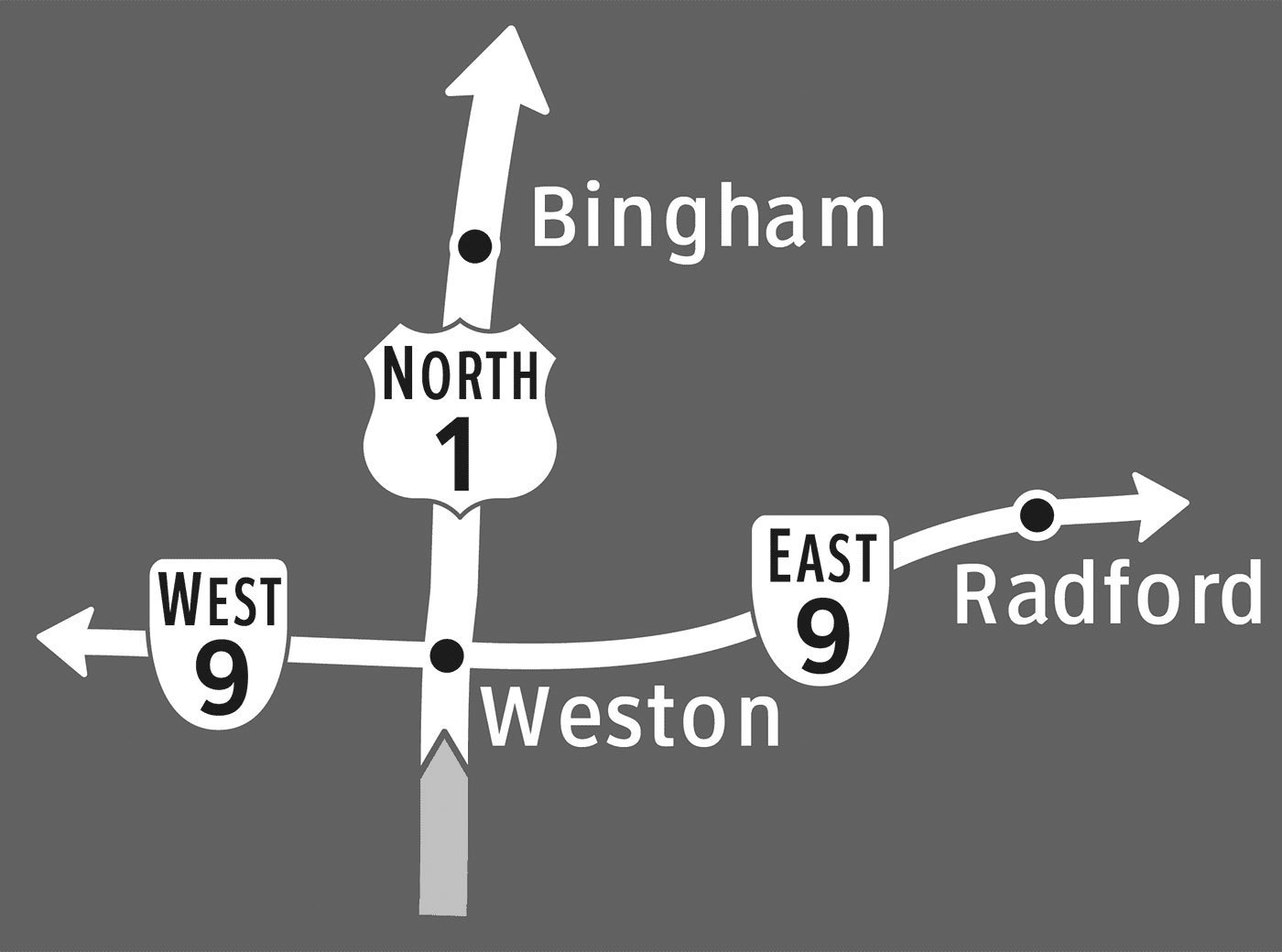
The ‘separate’ type, which is the standard highway directional sign, uses arrows to indicate which way to turn to reach various destinations. Roads and towns are shown on two separate signs in order to not overload travelers with too much information at once. The ‘combined’ type shows route and town information all on one sign, and merges the simple arrows to form a schematic diagram of the intersection. This type of sign is much more common in Europe than in the U.S., and a similar sign is often used for roundabouts. The ‘cartographic’ signs display this same information in the form of a simple map, with route and town labels placed on lines that represent the roads.
Perspective and mental effort in wayfinding
These sign types connect to the different perspectives used to communicate or remember spatial information. The ‘separate’ and ‘combined’ types use the route perspective, while the ‘cartographic’ signs use the survey perspective. Route information, which is from a perspective within an environment, is a sequence of turns at decision-making points along a route. In contrast, survey information is from an imagined perspective above an environment, and can convey an interconnected and hierarchical network. With this more complex understanding of an area, it’s easier to identify shortcuts and alternate routes. In other words, you can communicate more complex information about the layout of an area by offering a map (survey perspective), than by providing a series of simple directional signs (route perspective).
These two perspectives also differ in terms of the amount of mental effort they require for navigation. To find your way using a paper map, for example, you must locate and orient yourself, identify your destination, plan a route to get there, and translate that route into a series of turn actions. A well-designed you-are-here map would help you with self-location and orientation, but you’re still on your own to plan out your route and the turns it would require. Following signs to your destination, in contrast, may not require any understanding of the broader layout of the area, because you’re provided with turn-by-turn guidance along the way.
In general, we prefer to do things the easy way when it comes to wayfinding. Most people with smartphones or in-car GPS would be unlikely to ditch them in favor of a paper map or gazetteer. But if you distilled a map down to only the absolutely essential information, could you give travelers a mental image of the layout of the area in only a few seconds? The aim of the ‘cartographic’ sign type, shown above, is to present the directional guidance offered at an intersection in the form of a simple map that can be read while driving past. By needing to interpret a map in order to make a turn decision, perhaps people will incidentally piece together a better ‘cognitive collage’ of their environment. (See: Tversky, B. (1993). ‘Cognitive maps, cognitive collages, and spatial mental models’, in Spatial Information Theory, Springer-Verlag).
How much can you learn from signs?
I’ll spare you the details of the experiment I developed to evaluate how well the three sign types support spatial learning, but if you have any questions or want to learn more, don’t hesitate to contact me. Basically, participants viewed a slideshow of signs as if driving through a fictional environment, and then were given an unexpected mapping task to demonstrate what they had learned from the signs. I then had the participants repeat the same sign viewing and mapping tasks, in order to see how much they could learn from the signs when they knew that they would be tested afterwards. In the first mapping task, people viewing the ‘cartographic’ signs constructed significantly more accurate maps than those viewing the other two sign types. This suggests that signs with maps do help people incidentally develop a mental map of their environment. What’s particularly interesting is that there was no significant difference between the map accuracy scores of the ‘separate’ and ‘combined’ sign groups. In other words, combining route and town information on a single sign didn’t really help people learn unless the information was presented in the form of a map (as was the case with the ‘cartographic’ signs) The second mapping task, which gauged how much people could learn intentionally, showed no significant differences between any of the sign type groups. Basically, when people knew that they would be tested on their knowledge of the area, the type of sign didn’t have a notable impact on how much they learned. In practice, however, intentional learning from directional signs is much less common than incidental learning. Would you focus on constructing a mental map of an airport as you follow signs to the baggage claim? Probably not. So while the results of the second mapping task are interesting to note, they’re less relevant to the practice of designing wayfinding signage.
Beyond the lab
While it may seem narrow and unrealistic to test changes to the carefully regulated signage of the U.S. highway system, it was in fact essential to start with such a restrictive wayfinding scenario. On the highway, you only have a few seconds to interpret each sign you pass by, so an overly complicated sign could be life threatening. For pedestrians, however, viewing time is much more flexible, which would allow you to include a greater complexity and quantity of information on a sign.
In other contexts, the possibilities are endless. Imagine pedestrian signs with simple maps that orient you relative to a river, coastline, or another key geographic landmark that’s not always in view. Or as you enter a grocery store you’ve never been to, imagine seeing a simple map of the different departments. (I swear I thought of that before I saw the sign below, at a Fred Meyer store in Oregon!) Imagine if the typical subway directional signs, which only show the name of the last station on a line, were supplemented with a simple map of which direction the line would take you in the city.
Whether you’re designing wayfinding guidance for drivers, bicyclists, pedestrians, or transit riders, the basic principle is the same: simple maps on signs can help people learn the layout of the area.
The full paper was published in the Cartographic Journal, Volume 49, Number 4, November 2012 and is also available online.
- 0 comments
- 9,204 views
- 3 comments
- 21,329 views
The truth is, that the term ligature just means “connection” (from Latin ligari). The term itself doesn’t imply a certain purpose or use itself. Today, there are two possible ways to define a ligature and both ways can appear in connection or individually. If we talk about the appearance of type, a ligature is made from two or more letters, which appear connected. In hand writing such connections are created all the time.
But since the invention of moveable type, a new and more technical definition has appeared. When in metal typesetting two ore more letters are cast together to one sort, this is considered a ligature. This use in metal type has also transcended into the digital age. Ligatures are now usually included as single glyphs in a font, even though they might represent different characters in the underlying text.
Often these definitions of appearance and technical implementation occur in combination. For example, the the “f” and the “i” in the fi ligature are visually connected and included as a single glyph in a font.
A typical typographic ligature as one glyph
But “f” and “i” might also appear connected, even if they are separated glyphs, just because the arc of the “f” extends over the right side bearing of the glyph. On the other hand, a type designer might create an fi ligature, where the unwanted collision is avoided by drawing an “f” with a shorter arc. Then “f” and “i” don’t appear connected, but they are still displayed using a ligature in the technical sense.
A technical ligature, where the letters appear optically unconnected
As we can’t judge a book by its cover, we also cannot always tell from the appearance of a text, whether or not ligatures have been used.
Classifying Ligatures
If its not clear from the context, it is a good idea to specify the types of ligatures we talk about. There are basically two main categories: typographic and orthographic ligatures.
Typographic Ligatures
These ligatures are just connected for typographic reasons. In today’s digital typesetting with smart-font technologies like OpenType we usually divide typographic ligatures in Standard Ligatures and Discretionary Ligatures. The first group of ligatures (fi/fi/ff/Th …) is usually applied by default, because they are considered an improvement of the text setting.
Discretionary Ligatures (ct, st …) are used as stylistic option, often used in headlines or logotypes. Note that typographic ligatures never affect the orthography of the underlying text. As the name suggest, they are purely typographic.
Orthographic Ligatures
These ligatures serve a very different purpose than typographic ligatures. The best example of this category is the letter w/W. It actually derived from a ligature of two V or U, which were not differentiated at that time. And that’s why this character is still called Double-U. From this example it should be clear, that it doesn’t make sense to make a distinction between “real” letters and ligatures. In contrast to typographic ligatures, orthographic ligatures are not optional. Even though they might be derived from a ligature historically— in today’s orthography of a certain country they only stand for themselves and cannot be separated like an fi ligature. They are treated like any other letter of the alphabet. And that’s why they also usually exist as a lowercase and uppercase version. Typical orthographic ligatures in the Latin script are w/W, æ/Æ and œ/Œ.
Orthographic Ligature or Digraph?
But beside the obvious cases like Æ and Œ there are also some more complicated ones which usually cause confusion, even among typographers. Those cases are IJ/ij, DŽ/Dž/dž, NJ/Nj/nj, LJ/Lj,/lj. They do have a Unicode code point, so they can be used as one character/glyph. But it is also common to just type the individual characters, which is usually called a digraph. So what are they? A letter, a ligature or a digraph? From just viewing at printed text, we can’t even tell if one or two glyphs have been used. Just because we see two optically separated characters, doesn’t mean it was technically achieved this way.
What we can tell, is that they are an orthographic and phonetic unit. And there is a simple way to find out: just ask a literate native if these cases would fill one square in a crossword puzzle. If they do, it is safe to say, that they are considered letters of the alphabet. Whether or not they are typeset as one glyph (→ ligature) or two glyphs (→ digraph) is a purely technical or practical side note, that doesn’t affect the orthographic use or understanding of these letters. Some orthographic ligatures might have earned a spot on typewriter and later on computer keyboards, some orthographic ligatures might not.
In contrast, there are also digraphs which are never considered one letter. For example, in modern German there is the digraph ch/Ch/CH and even a trigraph (sch/Sch/SCH). So two or three letters represent just one sound, but those cases are never considered one letter when set in the Latin script—they fail the crossword puzzle check. So while the Dutch ij/IJ can indeed be considered a letter, the German ch/Ch/CH cannot. The latter are always considered individual letters.
The Very Special Case of the Letter ß
In such a discussion about letters, ligatures and digraphs one case always causes the most heated discussions: the German Eszett (ß). Many typographers and type designers insist, that the German ß is just a ligature, and they usually believe it is made from a combination of ſ and s. To put it simple: Those people are wrong. Let me straighten this out for you …
It is true, that there is an ſs ligature in (usually cursive) Latin writing and printing, that has been used for centuries. And today’s type designers often use this old design principle for designing their modern ß characters.
Looks like a modern ß, doesn’t it? But this Latin ligature is not the source of the German ß character. (Note that the example above isn’t set in German!) The real ß character developed in blackletter writing and there is no consensus yet, how it actually evolved. But while we don’t know for sure, how the ß character developed in blackletter writing, we know for sure, how the German ß in the Latin script came into being. And this is actually the source of the modern ß character we use today.
German was traditionally set in blackletter writing. Up until the end of the 19th century there was no standardized orthography and also no agreement how the special rules of blackletter typesetting would translate to the Latin script. This changed around 1900. First there were orthographic conferences which defined the first “official” German orthography and then another committee of printers, publishers and type founders had to agree on typographic issues following those orthographic decisions. And that’s when the Latin ß was “invented”.
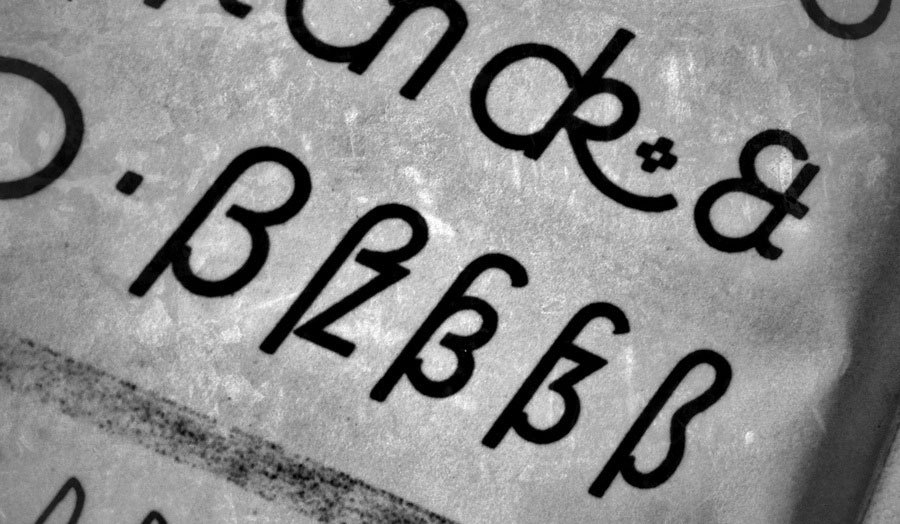
Here is a scan from 1903 when the new Latin ß glyph was announced to type foundries and printers in Germany, Austria and Switzerland.
It was agreed, that German type foundries had to add a new letter to their Latin typefaces and out of many different design suggestions, the so-called Sulzbacher Form was chosen. The design (see image above) was selected because it bears resemblance to an ſ + z connection, but that is a purely stylistic choice. The Latin ß came into being as one character of the German alphabet at the beginning of the 20th century. It served a purely orthographic, not typographic purpose, just like the “w” is not an option for two “v” in the German or any other orthography.
The design principles of the ß character changed over the course of the 20st century. Some typefaces use the original Sulzbacher Form, some designers try to replicate the blackletter glyph and more and more type designers go for the connected ſs approach. But those are all purely stylistic decisions, as we can choose between different designs of “a” and “g”. It does not however, affect how these letters are understood and used orthographically. The letter ß came into the Latin script for German typesetting as a single glyph, introduced from one day to the next. Calling it a ligature is usually misleading, as the letter “w” is usually not called a ligature, despite its history.
Some key facts to take away:
When one talks about ligatures, it makes sense to differentiate between typographic and orthographic ligatures. It also makes sense to point out, if one talks about the technical implementation or the appearance of a ligature. What is considered a letter of the alphabet is defined by the orthography, not the appearance or the technical implementation. Therefore … … the ß in modern German is still one letter, even if it looks like ligature … the Croatian Dž is still one letter, even if it looks like two common glyphs and is typeset using two glyphs
- 1 comment
- 83,465 views
I checked a lot of online mapping tutorials, but the ones which mentioned this effect recommended rather cumbersome methods to achieve it. Mostly they required an additional step, like combining all paths to one object or copying all paths to another layer and style those paths individually. But that would make later changes to the maps much harder or even impossible. More creative solutions used layer transparency settings so the overlaying outlines would knock each other out or simply cover the unwanted overlaps with even more outlines laid on top with layer styles …
But all these methods are work-arounds and have their flaws. What we really want is that Illustrator would take all our streets (usually drawn as outlines) and squares (usually drawn as fills), merge them together dynamically and draw an outline around it. And guess what, that’s actually possible and pretty easy to achieve — all we need to to is to combine two layer effects.
An here is how you do it:
First, draw your streets and put them on a layer. If you have different kinds of roads, I would recommend to put each category on one separate layer. This makes styling, editing and selecting much easier. In every layer where you used outlines (e.g. all street layers), open the Appearance panel and add an effect: Path → Outline Stroke.
Now assign all these layers to a parent layer. This new layer will be used to create the outline around all objects in the child layers. Click on the circle beside the name of our parent layer in the Layer panel. Now you can add a new outline as layer style in the Appearance panel which will be applied to the outlines of all objects on our child layers. In this case, this even works for strokes, since we have applied the “Outline Stroke effect” before, which basically turns all outlines dynamically to filled objects. Your map should look something like this …
All objects have the outlines we want, but they are not merged yet. So still in the Appearance settings of our container layer, we add another effect: Pathfinder → Merge. And that’s it! All overlapping objects from all child layers will dynamically be merged together and outlined with an additional stroke. And all objects remain fully editable and you can continue to work in a true WYSIWYG mode.
- 1 comment
- 17,448 views