Skip to content

Typography Journal

Articles from the field of typography.
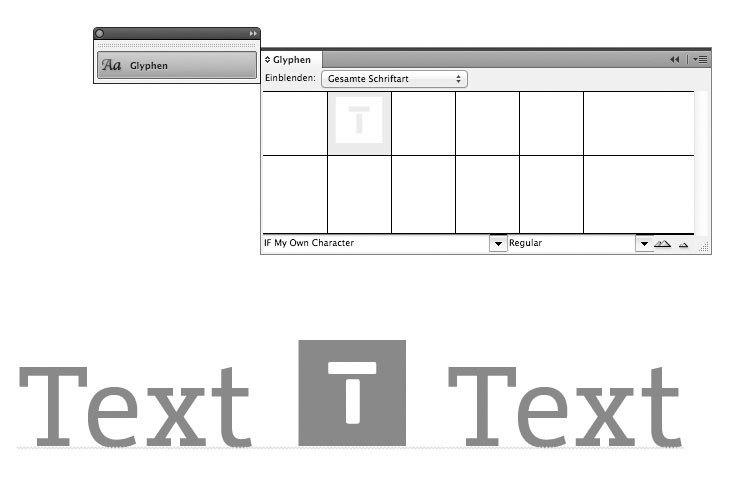
In a running text in InDesign you could always dump any kind of vector or bitmap images. But handling these objects can be really annoying, since they cannot be edited along with the text. It’s just an object frame which flows with the text. If you want a graphic (like a logo or pictogram) to be easily usable within a text, you would have to create a font for that. But that’s not an easy task. You need to get one of those commercial font editors and deal with all those technical details and dozens of parameters that need to be set correctly in order to create a fully working font. But Theunis de Jong from The Netherlands has come up with a great solution. He created an InDesign script, which can turn any InDesign vector object instantly in a one-character font. The script doesn't come with a real manual and I struggled myself to get it working. So here is a short manual on how to use it: You can download the script free of charge here http://www.jongware.com/binaries/indyfont_demo.zip and put it in your script folder.

Now start InDesign and double-click the script in the script palette. You can specify a font name and some additional information if you wish. You can also specify a character name (like “/a” or “/zero”) which defines the slot where your vector graphic will be placed in the font. The default slot is the bullet character and you might just leave it like this. When you hit OK the script will create a new document as a template for your one-character font. Make sure you go to the second (!) page and you are working on the layer called “outline". You can now draw or import your vector drawing. It must use only the predefined color [black] as closed shapes.

So for this logo, I punched out the white letter with the pathfinder palette. Now position the vector object on the page. The document sides are the left and right edges of the character and the red line is the base line of the font. When you’re done just double-click the script again. It will ask you where the font should be created. You can just use the default, which is the InDesign font folder. This has the advantage that you don’t even have to install the font. It will instantly be available in the font menu with an IF prefix.

That’s it! You can start using your logo font or refine it by overwriting the font again as often as you wish. Since you don’t even have to leave InDesign, it’s really easy and fun to work with this tool. The developer is also working on a commercial version which supports more than just one character, but even that free version is in my opinion a really amazing tool.  
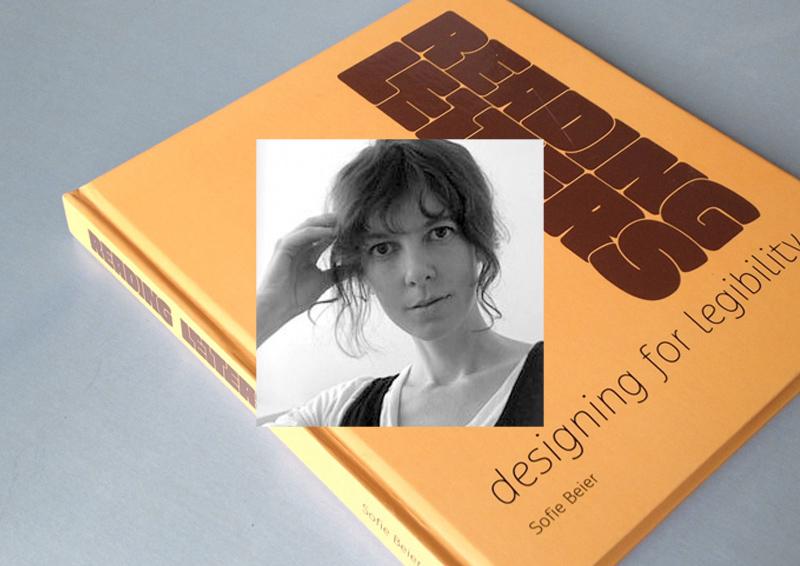
There are two groups who deal with typographic legibility: On the one hand, there are scientist, usually from the field of psychology, who carry out scientific tests to study how we read texts and which parameters influence the legibility of type. On the other hand there are graphic designers and type designers which base their opinions about legibility on the conventions of hundreds of years of type setting and their personal experience. Unfortunately, until recently both sides rarely talked to each other, resulting in designer’s opinions about legibility which contradict the current state of scientific legibility research and scientists doing research with insufficient test set-ups and questionable interpretations of their studies. Luckily, this is currently changing. More and more research is done, where scientists and designers work together—designers like Sofie Beier.
For her dissertation she researched the effects of type familiarity. Her new book Reading letters is in parts based on this work. It combines scientific theories and findings with typographic and historic background knowledge about the design principles of type for certain applications. You can take a look at the table of contents here.
The purpose of the book is to support type designers in creating legible typefaces and help graphic designers to determine the optimal typeface for a given project. But the book doesn’t work like a “manual”. It does not list the most legible typefaces or will tell you settings for font-sizes, line-heights and so on. It’s all about understanding the principles of legibility. Definitive answers about the fundamental parameters of legibility are yet to be found and Sofie Beier was certainly well advised, not to speculate too much in this book. But still, even though this book cannot answer every question about legibility — if you are interested in legibility research from a typographic point of view, this is the book you need to read.
1. How did you became interested in the scientific research of legibility in the first place?
Many years ago, I was looking for a book on the subject. I wanted to expand my knowledge on typeface legibility in relation to my own type design. I couldn’t find such a book, so I started a more systematic collection of what various writers had put forward on the topic. This eventually led to me taking up a PhD at the Royal College of Art in London. 

2. The design of print typefaces has evolved for over 500 years without any scientific research of legibility. Do you think we can still improve our designs through science or is the purpose of the current research more about understanding reading & legibility instead of actually applying the findings to new type designs?
I have no doubt that scientific legibility investigations can improve the design of new typefaces. Until the industrial revolution, typefaces were solely applied in printed books. Contemporary typefaces have to meet a range of new demands. Sometimes they are 2 meters high on a billboard, sometimes 10 pixels high on a computer display. Legibility varies depending on the situation the typeface is presented in. Scientific legibility investigations can help us understand these differences.

3. Has your research influenced your own type designs?
Yes, three of my typefaces (Ovink, Pyke, Spencer) all came out of a study on the individual letter shape that I ran in collaboration with Kevin Larson. Within each typeface we looked at the shapes of those lowercase letters that are known to be misread most often. The three typefaces are based on these findings. On top of that, I also added other legibility improving elements related to their individual usages. Ovink is a signage typeface, Pyke is a text typeface, and Spencer is more an allround typeface.

4. In your study together with Kevin Larson you proved that certain letters designs (like the one-storey a) are much more likely to be confused with other letters. Why do you think such typefaces (like Futura) are still used so often in situations where legibility is crucial?
Many designers do not care much about legibility; the focus is often on other things. That being said, it depends on the circumstances. Research shows that we are quite capable of reading words even when some of the letters are illegible. We simply use the surrounding letters and our knowledge of possible letter combinations to guess what letter it is. So in some situations, the one-storey a might not be a problem.

5. The typeface legibility comparison done for the new Heathrow Airport terminal suggested that condensed typefaces perform worse than wider typefaces set smaller. Do you agree? And if yes: why do you think that is?
Everything indicates that it is the case. I have no idea why. It is an interesting topic, which I hope to run experiments on in the nearest future.

6. What was the most surprising result from all of your legibility research?
The issue mentioned above, of character proportions in distance viewing might be the biggest surprise. When we know more, it can end up having a large implication on the design of new signage systems. 

7. Serifs or no serifs? Do they play a role in terms of legibility?
Throughout the history of legibility research, this has been the most popular question to investigate. I believe serifs play a role, sometimes good and sometimes bad. 
1. How did you become a type designer?
I once bought one of those CD packages with 10,000 typefaces for 10 bucks in a local supermarket—the quality of those typefaces was of course miserable but the versatility of type and type use started to fascinate me. And during my study at the university my interest in typography and type design grew even more. I just loved the balance between freedom and convention that typography and type design requires. Some of my teachers probably found this approach to boring, but luckily I also had some teachers who supported me in my rather slow and analytical design approach.

2. Which role do traditional and digital tools play in your work as a type designer?
As much as I would like to answer, that I do extensive calligraphic experiments, the truth is that I usually just sketch out some basic characters on paper and then quickly move the design to the computer screen, where can I can play and experiment with all the tiny details until they match my original ideas.
When the basic alphabet is drawn I also do a lot of testing in design application. Even when the font is targeted to print use, working with the font on screen in a design application is where the user “feels” the font for the first time—in terms of proper spacing, the behavior of OpenType features and so on. Many problems with a font appear at this stage and can be corrected instantly in the font editor.
After several proof runs and corrections I also do a lot of print-outs—both in the targeted sizes but also much larger. This helps to find tiny errors and inconsistent proportions, stroke widths, angles and so on. When the design of the letters is close to getting finished I am trying to use them in real-world projects with high-quality printing methods.
Just before the release I usually completely start over with the design of the PDF type specimen. It’s like the final proof, where I am trying to use the font without any manual corrections of spacing. The quality you see in the type specimen represents the fonts you would get.

3. Your Iwan Reschniev typeface emerged from a forum discussion and you have presented you work in progress on sites like Typophile.com and Typografie.info. How important is that kind of feedback to you?
When I was a beginner, such internet forums provided an excellent way to receive feedback, discuss design details and to compare my work and my way of working with those of other established type designers.
But I don’t believe the internet provides a very efficient way of learning to draw type. The feedback is of very mixed quality and everyone has its own opinion.
But what I do find extremely helpful are the ongoing discussion about design details, such as a recent discussion about the perfect placement of the @-sign compared to the baseline. Such discussions raise my awareness about certain design details and when I later design a typeface I am more familiar with all the possible options and the needs of the type users.

4. What is your opinion about the role of classical type-setting techniques in the education of today’s graphic designers?
I consider collecting, exploring and understanding of the historical methods and point of views as valuable and inspiring. Design, typography and type as part of the human culture and the current state of knowledge and methodology are the product of what we have perceived as right and useful. But our task is to build on that treasure trove of experience and to find new solutions, where the old methods are not adequate any more. Just sticking to the past, will not get us any further. You cannot blame a graphic designer of the 21st century, never to have worked with metal type-setting. Much of the old techniques and terms are of very little practical use today and will slowly disappear. That’s an inevitable development—which we shouldn’t try to speed up, but there is nothing to regret about it either.

5. Your most elaborate type design project so far was the creation of the Tierra Nueva type family. What did fascinate you about this project?
I simply love old maps. The are a testament of how people imagined the world around them. When I came across the map of America from Diego Gutierrez from the year 1562 I was blown away by the richness of detail. I especially like the type which was entirely made as copperplate engravings and consisted of several alphabets, including a Roman, a title-case version and a delicate italic.

6. What were the challenges in creating Tierra Nueva?
The look of the typeface is of course heavily influenced by the copper engraving tools, which don’t permit the flowing movements of writing with a quill. Instead each stroke is carved individually, usually without the possibility to change the direction while carving. This gives the typeface it’s chiseled and sturdy appearance.
The character set of the type family grew to over 1000 glyphs in the final upright versions: Small caps, title case, eight sets of figures, astrological and astronomical symbols, arrows, ornaments and a huge set of standard and discretionary ligatures. Without the intelligent OpenType feature replacements, the fonts would consist of 13 fonts instead of 4.

7. What other type design projects are you working on?
I am currently working on my biggest release so far: A friendly type family, which consists of a sans and slab serif and two alternative italics. I hope to finish it in 2012 or 2013.

Here are Bernhard Modern (left) and Adobe Garamond (right) set at the same cap height:

Adobe Garamond is certainly more legible, isn’t it? And this is even more important for signage. So here is the old FHWA E-modified font (left) and Clearview HWY (right) in comparison set at the same cap height. (Sample made using the free Roadgeek versions)

It’s pretty obvious how the larger x-height increases the legibility, right? So case closed? Well, I don’t think so. There are several problem with such comparisons. First: comparing fonts set at the same cap height will only tell you how fonts perform when set at the same cap height. But who says that fonts should be compared this way? In mixed case setting most of the characters will be lowercase and one could also argue, that the size of the lowercase characters should be the basis for legibility comparisons. So in our first example, Bernhard Modern might not be less legible, it might just be set too small—because the letters that matter are simply displayed larger in Adobe Garamond. When both typefaces are set at the same x-height, the legibility difference might disappear. The only difference is, that Bernhard Modern would probably need more vertical space to achieve the same legibility. But that doesn’t mean that it is less legible per se, does it?

But there is more. It is easy to construct examples like “Hase” where an increased x-height gives the appearance of increased legibility. This is based on the fact, that the lowercase letters in this example are enclosed within the base-line and the x-height and that they have three horizontal strokes within that area. So increasing the x-height will open the counters and apertures and therefore reveal a more legible letter. But is that really a fair comparison? We need to look at all the letters in the alphabet of the language we are setting. Those three letters are special because they have three horizontal strokes within the x-height. If there are two horizontal strokes (like in o, z, b, d, q, p) an increased x-height will not necessarily mean a significant improvement. And for certain character pairs an increased x-height will even decrease the distinguishability and therefore also decrease the legibility. Just look at this comparison:
 
The letters h and n can only be differentiated by the existence and height of the ascender. But the more one increases the x-height, the more this differentiation will disappear. And recent legibility studies also stress the importance of such letter parts in the process of reading. So there is an ideal value somewhere, but as soon as we increase the x-height any further, the legibility can also decrease again. And don’t forget that in many countries using the Latin script we also need the space above the x-height for placing diacritical marks. The smaller this space gets, the less legible these marks will appear.
So I actually consider it a myth, that a large x-height means better legibility per se. The x-height doesn’t have to be large—it has to appropriate. But what does that mean? In terms of regular print typefaces there is certainly a wide range of possibilities. But when it comes to signage typefaces this aspect can certainly become crucial. I believe the best approach is to understand the stroke width and the x-height as two connected parameters which should be chosen together to create the best legibility. The x-height needs to be large enough so the crucial characters like a, e, and s appear clear and distinct when set in boldest style of the type family. On the other hand, the ascenders and descenders need to be large enough to make letters like b, d, q, p, y, and j as legible as possible. This also gives room for diacritical marks and forms characteristic word shapes, which makes mixed-case text more pleasant to read. So it’s all about balancing out the crucial parameters. As an example, here is a test word using Wayfinding Sans Pro set in the boldest available version. Making it bolder would not increase the legibility. Instead, letters such as a and e would become less legible, because the strokes would get too close together and the letter skeletons would be harder to recognize. But since there is no bolder style than this one, increasing the x-height further is neither necessary nor recommendable.
 
In contrast, here is the the road signage typeface used in Spain and Italy. It’s way too bold for the chosen x-height—especially when used with today’s retroflective sign sheetings, which cause halation effects when lit by the headlights of cars.
 
So, what are typical values for a perfectly balanced cap height to x-height ratio? In a recent legibility study different typefaces where tested, one time scaled to the same cap height and once scaled to the same x-height. (Click on the image to see a larger version. The green line shows the maximum reading distance in the test with the same x-height, the pink line shows the results using the same cap height.)

When set at the same cap height, Wayfinding Sans Pro won the test, followed by Frutiger Roman and Johnston Underground. When all typefaces where scaled to the same x-height—surprisingly—Futura performed very well, but of course only by taking up very much more horizontal and vertical space than all other typefaces. The most efficient typefaces with the best ratio of x-height and cap height seem to be Wayfinding Sans Pro and Johnston Underground with an x-height between 67 to 69 percent of the cap height.
 
Using typefaces with a significantly higher x-height will probably not increase the legibility any further. Typefaces with a significantly smaller x-height should not be considered less legible. They can perform equally well, but they might need much more space to achieve this.
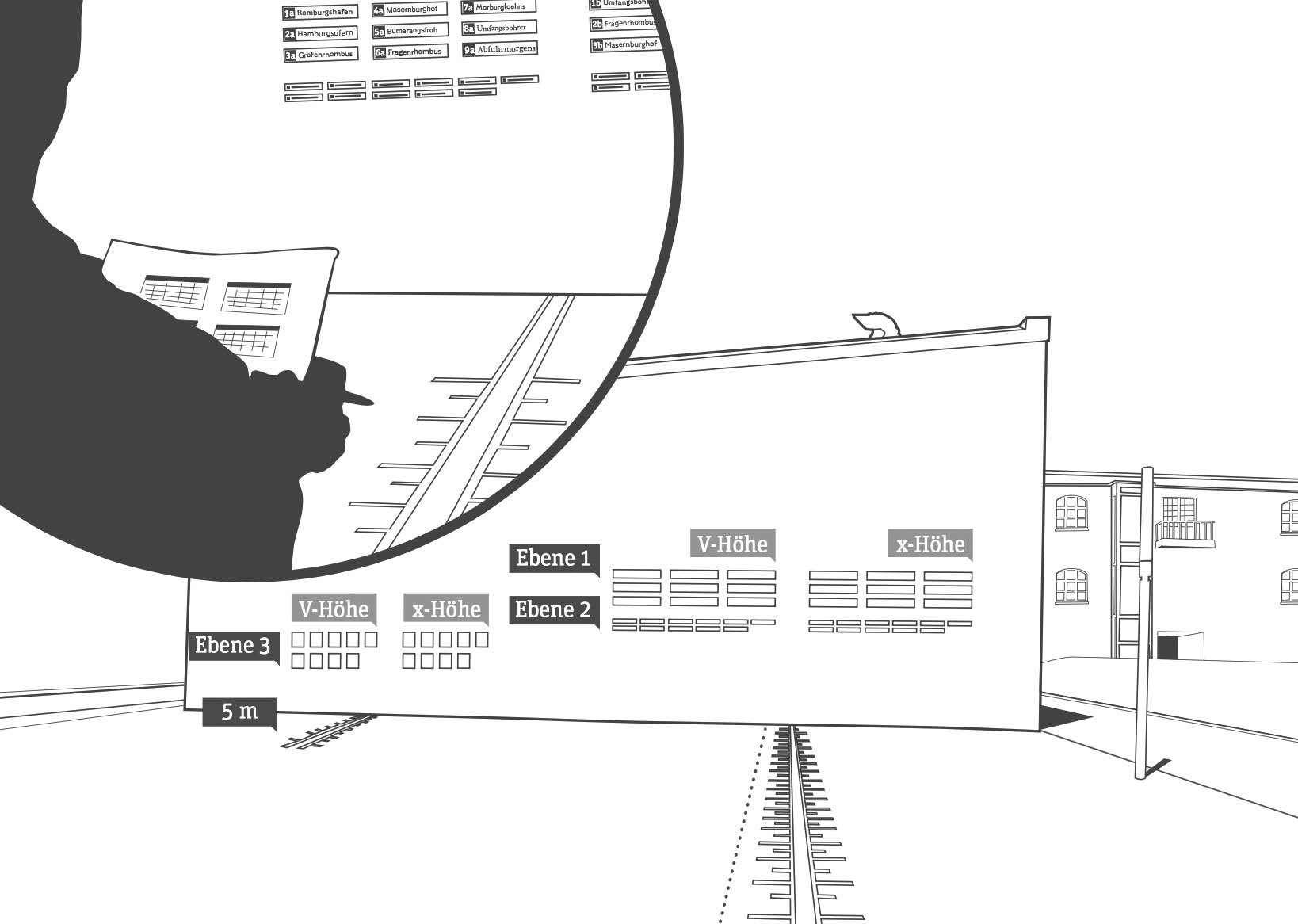
The use of type in this study was based on the recommendations of the German legibility norm DIN 1450. This ensured that the study reflected a real-world scenario and is suitable for people with normal or reduced visual acuity. 106 participants were tested. They should walk towards the signs using fixed intervals. Once they could clearly recognize the text, the distance was noted.
The test included two different type sizes presenting single words and a third test using a small paragraph. In each test the capital height of each typeface was equal, as defined in the current DIN 1450 norm. But the test was also repeated with the same setup, but this time with an equal x-height of all typefaces. This x-height was defined by calculating the average x-height of all tested typefaces.

As I have mentioned earlier, legibility studies often just use an equal point size for all typefaces, which does not ensure that the actual size or optical appearance of the tested fonts are equal. But fortunately, this study did’t make this error. The study also uses words and not just single letters, so it tests how information actually appear on signs in public space. The nine tested typefaces were Linotype Frutiger, P22 Johnston Underground, Wayfinding Sans, Arial, DIN1451 Mittelschrift, Franklin Gothic Medium, Futura, Garamond Premier Pro and Swift.

The winner of the study is my Wayfinding Sans typeface. Sven Neumann writes in his final report that Wayfinding Sans could be read earlier than any other typeface in all test situations. It was not only more legible than DIN 1451, which is used on the German road signs, but performed even better than Linotype Frutiger, which is one of the most used signage typefaces, especially for airport signage systems.
In the next digram you can see the maximum viewing distances of all typefaces. The dark green bar represents the cap height test and the light green bar the x-height test.

Of course this result shouldn’t surprise me too much, because increasing the possible reading distance was my main goal all along. But I also noticed, that some people didn’t really trust my design approach which is based on real-time on-screen legibility simulations. They thought it would be too unscientific just to test bad viewing conditions without using certain values. But I know that a typeface created for the worst viewing conditions possible would also perform well under any other kinds of viewing conditions. And now here is the first empirical proof of this idea.
Not surprisingly Frutiger also performs very well. When Adrian finished this typeface in the mid 1970s for the signs of the Paris-Charles de Gaulle Airport he created one of the archetypical humanistic sans-serif typefaces of our time. P22 Johnston Underground is also among the top typefaces in this test. Originally created in the early 20th century for the signs of the London Tube, it might look a bit clumsy today, but works still well in terms of legibilty.
Arial, DIN 1451 und Franklin Gothic Medium achieve just avarage results. Compared to the typefaces discussed above their design is more static and the shapes are more closed, so they don’t perform as well in this legibilty test. Futura performs even worse, because of its small x-height and the geometric design. The serif typefaces Swift and Garamond Premier Pro also perform bad in the cap height test. This comes as no surprise. Their x-height is small and the details are delicate, so they can only perform well under good viewing conditions.

Since the test was performed twice, once with an equal cap height and once with an equal x-height, it is especially interesting to compare the results. Wayfinding Sans® and P22 Johnston Underground with an x-height between 67 and 69 percent perform equally well in both tests. Typefaces with a smaller x-height can only be made more legible by dramatically increasing the point size. But this is often not possible in signage systems were the ascenders and descenders then would conflict with other lines or borders around the text.
Rather surprising is the good performace of Futura and Garamond Premier Pro when the typefaces are scaled to the same x-height (green curve).

Not surprisingly, the study also shows a relation of the possible viewing distance to the age of the participants. The  group of people under the age of 15 performed the best, the group of participants over 60 performed the worst.
A German PDF with all the results from the study can be downloaded from the server of the university.
The letter ß came into existence in German blackletter writing, where it didn’t require an uppercase counterpart, because it stood never at the beginning of words and blackletter was never set in uppercase only. But since German is set in Roman script, there is an obvious gap in the German alphabet. Proposals to fill this gap were made since the 19th century. Here are designs that were discussed at the beginning of the 20th century:

A commission of German publishers, printers and type foundries introduced the lowercase ß when German was set in Roman script, but the introduction of a capital ß was postponed because the commission could not agree on a design at this point. This comes as no surprise, because it had to be created from scratch and there was nothing to base the design on and the German readers where not used to see such a new character in their alphabet.
New proposals appeared in the 1950s in the German magazine Papier und Druck:

Even though the capital ß never became an official part of the German orthography during the 20th century some type foundries included it in their alphabets and it appeared occasionally in print.


The Capital Sharp S today
Since 2008 the capital ß is an official part of Unicode and it is now included in more and more typefaces. But type designers are unsure about how to draw this character. Here are some thoughts from a German type designer and reader on the different approaches …
The Ligature Approach

Not true! In German blackletter writing ß was understood as combination of long s (ſ) and z. We still call this character “Eszett” in German which just means “SZ”. So that’s the reason why many of the proposal shown above are drawn as an uppercase SZ ligature. And SZ was also the recommended replacement for ß in uppercase writing in the beginning of the 20th century. The dictionaries called this an interims solution to be used until a proper capital sharp S has been introduced. Over time, SS also became another replacement for ß in uppercase and by the end of the 20th century the original replacement with SZ was dropped and SS remained the only official writing according to the German orthography.
Type designers are drawn to this ligature approach for the design of the uppercase ß, because it sounds like the most logical thing to do in terms of the history of the lowercase character. But I don’t think so. First of all: the history of the letter ß has yet to be fully explained. At this point we cannot be sure that it has definitely derived from a ſs or ſz ligature. And creating a new character based on assumptions alone, would not be a good idea. Secondly, the knowledge that ß has probably derived from a ligature is purely limited to typographers and graphic designers. Young German readers today don’t know a long s anymore and they don’t see the character ß as a ligature either. To them, it’s just a letter of the alphabet, just like any other letter. So they don’t expect an uppercase ß to look like a ligature. Letters are just conventions among the people who use them. They are “correct” when they are accepted by the users of this language—not because they are correct in a certain historical sense. And this is true for all Latin letters. We don’t draw an A so it looks like a Mediterranean ox head—we draw it the way, people are used to. In the same way, a capital ß should be designed according to the user’s expectations and not according to a possible, but still unclear history of the letter ß. It needs to work as a tool of communication and that is all that matters.
A ligature approach using S and Z would certainly be possible, just like Æ and Œ are part of the Latin script. But I don’t think it would be desirable. It’s a forced design that doesn’t develop naturally. Even though some of the SZ ligature designs presented above look pretty nice, they feel more like stylistic ligatures for display use and I don’t see them as something Germans would want to use on a regular basis or for example in fine print or handwriting.

Another popular idea among type designers is a design based on two S (see image above). But this is not an option at all! The whole point of having ß in the German alphabet today, is that it represents a different pronunciation than ss. An uppercase SS ligature will be understood as a stylistic ligature as you can see in this example:

It represents “Professor” with a short vowel in front of the SS. So we can’t use a SS ligature as an uppercase representation of ß.
The diacritical mark approach
Diacritical marks are used frequently in languages which are written in the Latin script and in the old proposals for the capital ß several solutions are presented that use an S as the base glyph and added diacritical marks above, below or inside the letter. But a diacritical mark that is just used in the uppercase version and has a totally different counterpart in lowercase writing would be a very strange thing. German readers would only see it as a strange S, not as a capital ß and such a solution has little chance of getting accepted.
The arbitrary shape approach
Instead of using ligatures or diacritical marks the uppercase ß could also be based on arbitrary shapes. We could create a totally new character that would be in harmony with the design principles of the Latin script or we could borrow a design from a different language that isn’t used in German. But again: such solutions have little chance of getting accepted. The uppercase ß will hopefully be used more and more over the next couple of years and maybe even become an official norm. But if someone just uses an arbitrary shape today, it is very unlikely that Germans would agree to this design.
The capitalized Eszett
If you look at the capital sharp S designs that were introduced in the last couple of years, it is pretty obvious which approach is the most promising one. It is to start from the shape of the lowercase ß and turn it into a design that fits the uppercase letter. And that’s not a surprise: people in Germany and Austria often deal with the gap in their alphabet by simply using the lowercase ß inside uppercase writing. You can see that in Germany every day—from handwritten notes to TV ads. But the lowercase ß doesn’t belong into uppercase writing and the simple and obvious solution is to equip the German users with an uppercase Eszett that can easily be used and read, but looks also typographically correct in uppercase writing. And this is the solution I am also suggesting. The German readers don’t need to learn something new. They understand this letter instantly and the use of it solves all the common problems that result from the gap in the German alphabet.

So how should this capitalized ß look like? There are now over a 100 designs done in this fashion and some work better than others. Here are a the two basic principles to design a capitalized ß:

The left one is the most common design. The defining characteristics are the aperture on the bottom and the diagonal stroke on the top right side. The top left is usually done as a curve, but there are also designs where this part has been drawn as a corner or even with a serif. It also doesn’t hurt to make the capital ß wider than letters like B, but that is not a real requirement.
The version on the right might fit in better with more calligraphic typefaces. The stem can even get a descender in italic version. Here are some examples of this approach which I consider successful:


Note: The top right part is what makes this character unique! So make sure, you design this part in a unique way. The following example does not work for me …

I just read it as a B, even though it has an aperture at the bottom. The top right part is what matters and it should never be rounded like a B. Make sure this curve is clearly broken by a diagonal stroke or even an inward S-like shape. So draw it either like this …

or like this …

At first glance these questions might seem impossible to answer, because reading is a matter of habit. We read best, what we read most. For example: 100 years ago, Germany was divided between people who claimed that either blackletter or the Roman script is more legible and should be used to set German. The supporters of blackletter typefaces claimed, the simple Roman shapes would hurt the eyes and cause fatigue. The supporters of the Roman typefaces claimed that the blackletter shapes are way too complex and therefore hurt the eyes and cause fatigue … But in fact, both kinds of writing can be perfectly legible, as long as we are used to them. It is therefore perfectly natural that we consider the kind of script most legible that we are most familiar with.

So what can we say about the legibility of letters? In science there are two models of how letters could be read: as a visual template or as a combination of features. Template matching would mean that we keep an image of every letter in our mind and once we see a visual stimulus that matches this image, we recognize a certain letter. But from my point of view it is very unlikely that human reading works this way. Just think of some extravagant display typefaces or the ever changing appearance of handwritten letters. How can we keep a template of letters in our mind, that we have never seen before? It is much more likely, that a letter is read as a combination of certain features. In fact, I understand the whole process of reading as collecting and making sense of individual features. A sentence is made up of “features” (words). A word is made of features (letters). A letter is made up of features (letter parts). For every letter of the latin script we can think of a certain generic skeleton—a unique set of stems, curves and diacritical marks that, in combination, make up a letter.

It doesn’t matter if the letter is narrow or wide, thin or bold, a serif or a sans-serif—for each letter there is a unique structural design that we know and recognize. And today it is even possible to test which letter parts are most important while reading.

At the Department of Psychology at the University of Victoria empirical tests were made to reveal which areas of lowercase and uppercase Latin letters are most efficient for reading[1]. (The full paper is available online here)
Here is an excerpt from the results from this so-called “Bubbles test”. Look at the first column of each image to see the skeleton parts we use to discriminate letters. The authors come to the conclusion, that “line terminations” are the most important features for letter identification. While this is certainly true, I think we can learn a lot more from these images. We can clearly see, that we mostly pay attention to the features of a letter skeleton that make them unique in the Latin alphabet: the crossbar of the e, the stroke endings of the c and the existence and shape of ascenders and descenders in general (f, j, d, b, q, p …).

So these are the features a legible typeface should provide easy access to. They should be designed both in a generic and familiar way (recognizability) and also in a way that stresses letter differentiation (distinguishability). These are the two forces a type designer needs to balance out when creating a legible typeface. A larger x-height might give room for a clear design of letters such as “a”, “e” and “s”, but it would also decrease the ease to discriminate “h” and “n“.

Doing scientific studies to test which typefaces work best in this regard is almost impossible to do. For a proper test setup you would need to modify one parameter while keeping every other parameter unchanged. But setting a letter or word in different typefaces can not be considered as “changing one parameter”, because a typeface consists of dozens of relevant parameters like x-height, weight, contrast, width—just to name a few. So scientific test for typeface legibility are often full of flaws. Very often the typefaces are set at the same point size, but as every graphic designers should know, the point size does not reflect the actual size of the letters in print or on screen. So if you come across a scientific legibility study that compares typefaces set at the same point size, don’t even bother to read on! The effect of this flaw will probably have a stronger impact on the results than the parameters that are supposed to be tested. But even if such tests are done with an equal x-height or cap height, that doesn’t solve the general problem of interfering parameters. Different typefaces have different weights and widths and if the test comes to the conclusion that Arial is more legible than Clearview, than this might just be true for the two tested styles and the single characters they tested. It might be the other way around if they would have picked different letters or styles from these type families or if the tested the performance not according to type size, but to a certain width—which is for example important for signage typefaces.

So instead of comparing different typefaces with interfering parameters it is much more revealing to look at certain aspects of letter design using one typeface. A study that was conducted in this way was done by Sofie Beier and Kevin Larson[2]. It was published in the Information Design Journal and is also available online (commercial paper). In this study Beier and Larson tested letter variations of frequently misrecognized letters (like e/c/o/a/n/u and i/j/l/t/f) while keeping the overall style of the letters. Here are a few of the interesting results, including some comments of mine.
A strong finding is that a one-storey “a” is often misread as “o” or ”q“. A double-storey  “a” performs significantly better. (see image above) The aperture of the double-storey “a” should be open, but opening the aperture more than usual could reverse the positive effect. The hypothesis that the legibility of “u” would improve by differentiating the letter from “n” was not confirmed. This comes as no surprise to me, but there seems to be a common misconception about letters that have a design that can be generated by flipping or rotating other letters. It is believed, that such letters (for example n/u or d/b/q/p) should have a unique design that cannot be generated by flipping or rotating the other letters. In this regard the geometric letter designs of typefaces such as Futura are considered less legible than typefaces with a humanistic design like Garamond, where letters like d/b/q/p and n/u don’t look the same when flipped or rotated. But while this might influence the reading comfort of a typeface, it is actually not important for letter recognition, because this is based on single features. We do not compare the letter designs of a typeface while reading. We detect the features of each single character and when there are two stems that are connected with a curve at the x-height, it is read as an n—no matter how the u in this typeface will look like. A serif on the letters “i” and “j” did improve the legibility of these characters in the distance viewing test. Broadening the letter design of letters such as “t” and “l” improved the legibility. Again, this comes as no surprise. These letters are dominated by a long stem, but they are discriminated by the existence of a crossbar or sometimes a tail at the bottom. So making these features more prominent by making the letters wider improves the distinguishability. One finding I can’t agree to is the recommendation to extend the letter designs of letters such as “a” and “s” into the ascending and descending areas, because these versions have performed better than the regular x-height designs in this test. This finding is very likely based on the fact, that this test was done using single letters only. When these letter variations reach into the ascending and descending areas, the letters were simply presented “larger” than the x-height version and therefore performed better. In a realistic word context, such structural changes of the Latin alphabet design will very likely decrease the legibility for readers who are used to see these letters within the x-height. My own approach to research such legibility aspects of letter design was to use a real-time simulation software. While I was working on the design of individual letters in the font editor FontLab Studio, the tool showed me a simulated view of test words with the letters I was just working on. With this tool I could remove the guesswork and was able to optimize my design even for the worst reading conditions possible.
There are several advantages of this technique. First, it is not only based on single letters, but also takes their appearance within a word context into account. This is important, because the legibility of single letters can easily be measured in a scientific study, but in reality, that’s not all that matters. Certain letter combinations can be critical in terms of legibility and in single-letter tests the widest letter designs ofter perform the best. That’s why some tests even come to the conclusion that uppercase texts are more legible. But when used in a real context, like a signage project, the available space can be limited and the performance of a typeface should rather be measured according to an equal space and not to parameters such as cap height or x-height. For signage projects designers often try to solve this problem by relying on condensed typefaces. They need less space and can be set larger, and therefore appear more legible—allegedly. But the more condensed a Latin typeface appears, the more it loses its legibility because the vertical stems become more and more dominant and the features that are necessary to read the letters appear less clear. There are recent scientific studies that seem to support this idea[3]. So in certain situations it might be a better idea to set a wide typeface with a smaller point size than using a condensed typeface with a larger point size.

Concerning the legibility of letters my findings are mostly in compliance with the results of the two scientific studies introduced above. The details of a letter that are crucial for letter recognizing or differentiation are most important and can be made more prominent to support the legibility. 
 
Footnotes
^ Features for identification of uppercase and lowercase letters., Fiset D, Blais C, Ethier-Majcher C, Arguin M, Bub D, Gosselin F., Psychol Sci. 2008 Nov;19(11):1161-8. http://www.mapageweb.umontreal.ca/gosselif/FISET_PSYCHSCIENCE_2008.pdf ^ Beier, S & Larson, K 2010, 'Design Improvements for Frequently Misrecognized Letters', Information Design Journal, vol 18, no. 2, pp. 118-137. ^ Waller, Robert, Comparing Typefaces for Airport Signs, Information Design Journal 15(1), 1–15
As you probably know, our eyes don’t move continuously along a line of text. Instead we perform so-called saccades, fast eye movements from one word or phrase to the next. This is caused by the fact, that only the fovea—the central part of our retina—allows a sharp and detailed visual perception.

In a typical reading situation just four to five letters around the fixation point are seen with 100% acuity. Still, an experienced reader will also gather information in advance from outside the fovea. This is called peripheral vision and while reading this can include up to 15 letters, which unfortunately are too blurred and distorted to be read in a true sense.
The Word Shape or “Bouma”
Within the field of typography there is still a strong belief that words can be recognized as a whole. According to this idea, words form a certain shape—referred to as so-called bouma (shape)—and we can recognize (and therefore read) this shape or outline if we have seen it over and over again. Even though this has never been proved nor explained in detail, it has been widely accepted as common knowledge in the fields of graphic design and typography. But evidence from the last 20 years of work in cognitive psychology indicate that we use the letters within a word to recognize a word.[1] For a detailed review of scientific studies in this area check out the paper of psychologist Kevin Larson, which is available online and was printed in issue 13 of Typo magazine. Here I am just quoting his conclusion: “Word shape is no longer a viable model of word recognition. The bulk of scientific evidence says that we recognize a word’s component letters, then use that visual information to recognize a word.”
Case closed? Not quite! The discussion around word shapes is also a discussion around the question whether or not mixed-case type setting is superior to uppercase type setting. And this is still a controversial topic.
Mixed case vs. uppercase
So let’s look again at the theory of word shapes. Even the supporters of this theory hardly offer any detailed descriptions or models how reading words through word shapes should actually work. I could think of two scenarios:
the existence of ascenders and descenders makes words readable on their own a detailed envelope around the letters makes words readable on their own In the first scenario, the existence of ascenders and descenders forms one of three basic shapes. The distribution of theses three shapes could make words readable. So, does it work?

I guess not. Or to quote Paul Arthur[2]: “The average English word is five or six characters long and to think that each of these tens of thousands of five- or six-letter words has its own distinctive shape is nonsense.“ Way too many words have the same distribution of characters with ascenders, descenders and characters without neither of those. And almost all uppercase characters don’t have any ascenders or descenders at all. So how are they even readably if word shape is so important? In fact, in a study Miles Tinker[3] found mixed-case text just 12 % percent more efficient (quicker to read) than uppercase text. That’s a pretty weak result for anyone believing that word shapes are a fundamental concept of legibility. Or think of typing errors or scrambled letters like in this famous example: “Aoccdrnig to a rscheearch at Cmabrigde Uinervtisy …” The known word shapes are complete destroyed but an experienced reader can still read such texts without much problems.
In the second scenario we could try to lay the outline closer around the characters …

Doesn’t help much either, does it? We could put it closer and closer around the characters until we reach a point, where we might actually have chance to guess the letters. But then we would end up with a detailed image of our word shape. We might actually learn this image and recognize it again later. But such a detailed image can easily be broken and become unrecognizable if we just changed the tracking a little bit or switched to a different typeface. But the power of human reading is based on the fact, that is not based on detailed images but combined features. Just think of handwriting: Even the same character looks different every time it is written and so would detailed word shapes. Therefore if abstract word shapes are not readable (scenario 1) and detailed word shapes as images that appear over and over again in the same way are just not realistic (scenario 2), we can only come to the conclusion, that word shapes cannot be a fundamental principle of reading.
Now you might tend a little bit more to the (parallel) letter recognition model that scientist propose, but you might still think, that word shapes somehow support reading. (At least that’s the usual response I get, when I talk about this topic.) But that’s like the catholic church saying to science “Well, now that you found all these proofs of evolution, let’s agree there is probably evolution and creation.”

If we read single letters instead of whole words there seems to be no room for anything that we should gain from word shapes. In fact, we might even argue, that mixed-case text might not be in any way better than uppercase text. So not surprisingly, Kevin Larson explains the fact that uppercase text is read slightly slower this way: “This is entirely a practice effect. Most readers spend the bulk of their time reading lowercase text and are therefore more proficient at it. When readers are forced to read large quantities of uppercase text, their reading speed will eventually increase to the rate of lowercase text.”
But why is there not a single novel written in uppercase text, when mixed-case and uppercase text setting are supposed to be so similar? Why has the practice of writing mixed-case even evolved, considering uppercase writing was there first? Why are even small paragraphs of uppercase texts so unpleasant to read? Why is it that graphic designers and typographers insist that mixed-case is more legible than uppercase?
The value of mixed-case typesetting
To answer the above questions we need to consider the context we are talking about. So let’s look at my Onion-Layer Model of Legibility again:

The upper half (grey background) deals with single letters and words. Here it is all about a legible text setting and the recognizability and distinguishability of letters. In this area uppercase letters can perform indeed very well. They have a very simple and distinguishable letter skeleton, without leaving much room ambiguity. Lowercase letters might be more troublesome in this regard. Just think of the similar outer shapes of e, o and one-storey a, which differences can easily blur together under bad viewing conditions. But in return, uppercase letters need much more space, and this is often ignored in scientific studies that just compare the legibility of single letters flashed on a computer screen. If the space is limited, for example on a sign, the uppercase text would need to be set smaller and the legibility would therefore be decreased. But when we talk about short pieces of information like headlines in a magazine or on a billboard, there is actually nothing wrong with uppercase text. Both uppercase and letters have their pros and cons and I consider it a myth to say that mixed-case setting is more legible per se.
But if we look at the lower half of our model (white background) the rules do change. Here it is all about the reading comfort of longer texts and this is an area where uppercase text will fail. It is no coincidence, that mixed-case typesetting, word spacing and modern punctuation all emerged from setting long texts (usually in books), because they all aid the reading comfort. When reading longer texts it not just about recognizing single letters one by one. Peripheral vision becomes an important factor and with it the vague and blurred information we can gather from it.
Just look at the following simulation. The same paragraph (Georgia, standard tracking) is set in mixed-case and in uppercase and the latter was scaled down so it takes up roughly as much space as the mixed-case text. From which text can you pick up more information?

The mixed-case text clearly offers much more information. Even though the single letters are not clearly recognizable we can guess pretty much all the words of the whole paragraph. It is also obvious that ascenders and descenders play an important role in this regard. Just look at the word typography/TYPOGRAPHY in the first line of each paragraph. In the first paragraph the letters that only use the space between the baseline and the x-height (o, a and r) are not clearly visible but the letters with ascenders or descenders leave no doubt, that it actually says “typography”. So does this mean we have recognized a stored image of the word shape of the word “typography”? No. It means that ascenders and descenders helped us to guess these single letters and consequently guess the whole word correctly. (Or to be more precise: Both things happen rather simultaneously and support each other.) I would love to see a scientific study which analyzes the role of ascenders and descenders in mixed-case reading, for example by simply varying the amount of ascenders in a reading test.
The uppercase paragraph on the other hand doesn’t provide much information. Guessing the words is much harder or even impossible and the only thing we can clearly see, is the space between the words, even though it is also obvious that the single words appear much more clearly and separated in the mixed-case paragraph. And that’s what makes uppercase text so unpleasant to read. There is less information to pick up from outside the fovea and this makes reading more strenuous.

So we should admit that science has smashed our lovely idea of reading words as a whole. But still, that does not mean that we need to abandon our typographic principles that have evolved over centuries. It don’t think it is true, that uppercase letters are intrinsically less legible—quite the contrary! But there are many situations where mixed-case text is still the better choice. For example, for longer texts where peripheral vision is important and also when text is supposed to be read under difficult viewing conditions like signage, where the text is supposed to read from a distance, might be lit or reflective and so on. In such situations, ascenders and descenders will support reading, even though not in the sense of whole word shapes, but in the sense of single letter recognition.
 
Footnotes
^ Kevin Larson, 2004, The Science of Word Recognition ^ Arthur & Passini; 1992; Wayfinding, People, Signs, and Architecture, McGraw-Hill Book Company ^ Tinker, Miles; 1963; Legibility in Print. Ames, Iowa: Iowa State University Press  
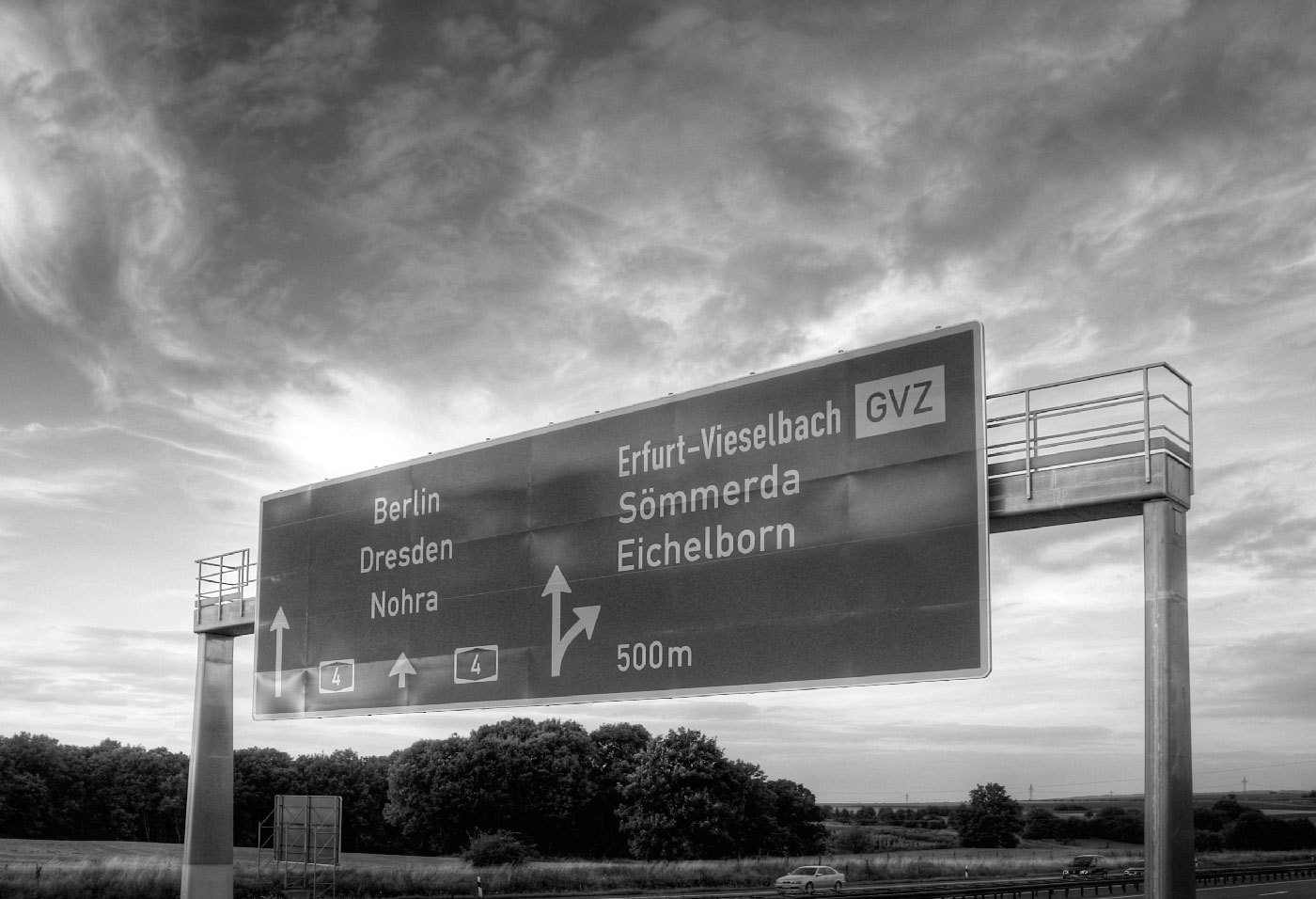
In the German Democratic Republic (GDR) the road traffic regulations were revised in the 1970s. The GDR had signed the treaty of the Vienna Convention on Road Signs and Signals (1969) and in the years 1974 till 1978 the official norm for the design and content of road signs was changed significantly. The new, quite remarkable layout also included a new typeface. In tests with a tachistoscope Gill Sans Bold Condensed supposedly performed better than DIN 1451 and so Gill Sans was used as the standard traffic typeface in East Germany. Because the old road signage typeface was usually just called DIN, the new typeface became the equally short name GIL.

Source: Martin Q., Flickr. Used with permission
They were certainly ahead of their time in choosing a humanistic sans-serif, but it is obvious that the spacing was way too tight for traffic signs. Here is a scan of the official norm papers (TGL 12096/91):

There was just one style in use. The design is pretty close to Eric Gills original design for Monotype. The figure 1 got a hook to differentiate it from the I and the crossbar on the f seems to be wider on the right side (but still appears too short on the left side). They even took over the ridiculously small dots on the lowercase umlauts ä,ö and ü. Dear international type designers, take it from a German reader: the dots on umlauts need to look like the dots in the character i and j! So what about legibility? The GIL and DIN typeface can be easily compared. Even though the GIL typeface is actually a condensed typeface, it only uses just a little bit less space the the regular DIN 1451 (“Mittelschrift”) and the x-heights are also similar. At close range, GIL looks slightly superior. In this example, the design of a, g and r appears just more distinct.

But if we simulate a greater distance, DIN 1451 actually takes the lead. Its very clear and basic design with the smaller stroke width makes it more legible under difficult viewing conditions. As you can see, the umlaut dots even disappear completely in GIL.

So I find it hard to nominate a winner in this competition, but it probably safe to say that both typefaces performed rather well in those days. Other countries at the time were still using geometric designs with poor legibility that were drawn by engineers. The new design came into effect in 1977 with the new road traffic regulations.

On top are signs used on regular roads and the next image shows examples of motor way (“Autobahn”) signs.

Even though the new typeface was supposed to be used for all signs throughout East Germany, Autobahn signs seemed to have remained in a very old version of DIN 1451 (see next image). This was probably due to financial problems. East Germany always struggled to purchase or develop the materials they needed. That’s why most of the signs were either made from plastic or mounted on wooden plates. The majority of the signs was also retroreflective, but the GDR couldn’t effort to buy the Scotchlite materials from the USA, so they developed their own, but less effective retroreflective sheeting which was called Mikrolux.

When Germany was reunited in 1990 almost all signs in GIL were quickly replaced with new signs using DIN 1451. Only some signs in rural areas remained unchanged – or ended up in my living room.

Important Information

We are placing functional cookies on your device to help make this website better.

Account

Navigation

Search

Search

Configure browser push notifications

Chrome (Android)
  1. Tap the lock icon next to the address bar.
  2. Tap Permissions → Notifications.
  3. Adjust your preference.
Chrome (Desktop)
  1. Click the padlock icon in the address bar.
  2. Select Site settings.
  3. Find Notifications and adjust your preference.