
Skip to content

The Lost Art of Paste-Up

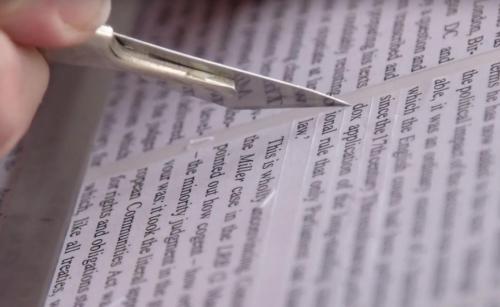
Arranging and rearranging a magazine’s layout before it goes to press is all done on computers now. But in the years before desktop publishing software, the work of cutting and pasting required a sharp scalpel, a parallel-motion board and plenty of glue.

User Feedback

Recommended Comments

Lichtschutzfaktor

Standard Member

Often overlooked is the aspect of enormous physical danger for the artists. How many times have I dabbled my various fingers? How many clean layouts were defaced by dripping blood?

As I recall an incident, our agencies secretary, trained as a medical assistant in a previous life, could not stop the bleeding despite all her endeavors. Colleague drove me to the accident doctor. In the meantime, my then creative director Wolfram looked at the mess on the drawing board, picked up the cut piece of thumb with tweezers and asked my junior Heike: "Do you want to drive it to the doctor, maybe you can sew it on again?" - Heike could not see any blood and promptly fainted (no shit!)! ;–)

Gecko

Standard Member

That's exactly as I started out. Cutting and pasting, as a finished artist, very demanding and very tedious, but satisfying and rewarding when you see the finished piece. Ah those were the days. 

Ignacio

Standard Member

Me too Gecko, me too, and always with the Light Box/Table. A lot of “physical” work, and a mistake was much harder to solve, that’s why, among other things, you needed a good background in learning. Nowadays someone with a computer and a program tells you he is a designer, and does not even know what is spacing letters... at least here in Spain.

And sorry for my rusty english today... hard to say what I wanted to say.

Create an account or sign in to comment

Important Information

We are placing functional cookies on your device to help make this website better.

Account

Navigation

Search

Search

Configure browser push notifications

Chrome (Android)
  1. Tap the lock icon next to the address bar.
  2. Tap Permissions → Notifications.
  3. Adjust your preference.
Chrome (Desktop)
  1. Click the padlock icon in the address bar.
  2. Select Site settings.
  3. Find Notifications and adjust your preference.