



- By: DTL/URW++
- Platform: Windows, Mac OS
- commercial
- Purpose: Type Design
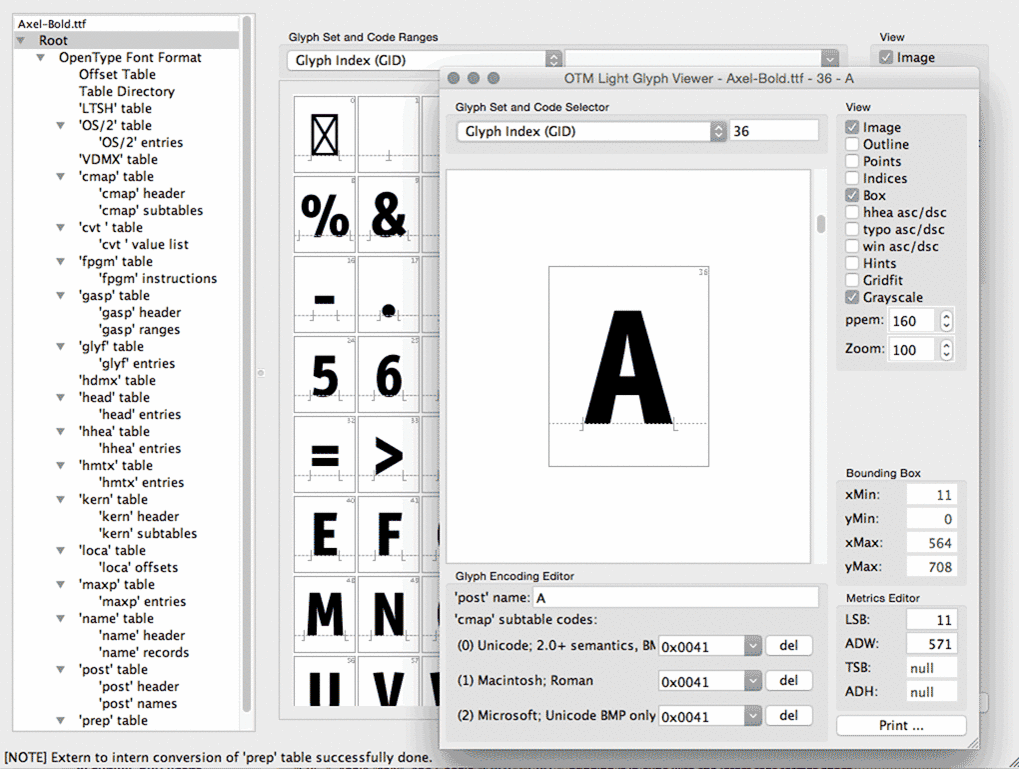
DTL OTMaster is an application (Windows and Mac) for reviewing, editing and altering tables and contours of OpenType fonts (.otf and .ttf), TrueType fonts (.ttf) and TrueType Collection (.ttc) fonts, including CID-keyed OpenType fonts, CJK (Chinese, Korean, Japanese) and complex-script (Indic, Arabic etc.) fonts.
OTMaster 5 adds support for all the competing color OpenType font extensions: Microsoft “COLR”/“CPAL”, Adobe “SVG ”, Apple “sbix”, and Google “CBDT”/“CBLC”, bringing it in sync with the latest font format specs.
The Glyph Editor is a compact version of DTL FontMaster: it is a fully-featured outline editor, allowing you to edit a glyph outline, import a glyph from and export it to EPS or SVG (so you can modify it another app and bring it back). You can change the glyph’s metrics, apply various transformations, automatic outline improvement operations, and autohinting. (New: in OTMaster 5, measurement, grid and other aspects of the Glyph Editor have been improved). With the Glyph Copy Tool, you can easily copy glyphs between fonts.
-
 1
1


Create an account or sign in to leave a review
There are no reviews to display.