



- By: CR8 Software Solutions Ltd
- Platform: Windows, Mac OS
- commercial
- Purpose: Type Design
Type 3.2 is a commercial font editor developed by the New Zealand company CR8 Software Solutions Ltd. It is available for both Windows and Mac OS X.
Feature list:
-
Formats supported
Open and save: TrueType (.ttf), OpenType PS (.otf), Type 3.2 glyph data (.gfs)
Open only: TrueType collection (.ttc)
Transfer glyphs from: All of above, plus Type 1 (.pfa, .pfb), Mac TrueType (.dfont) -
Editing
Edit all font metrics, meta-data and names. Easy font renaming tool.
Up to 65535 glyphs. Copy, duplicate and rename glyphs. Edit glyph metrics.
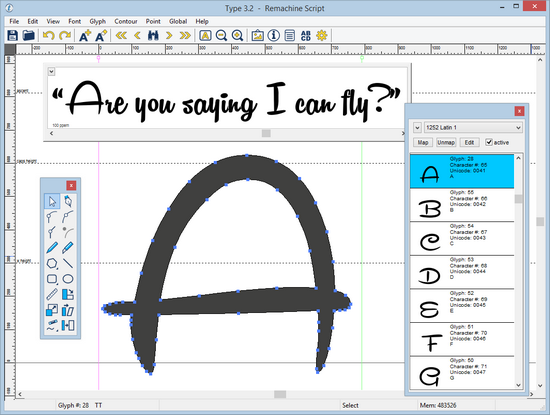
Nodes/control points or TrueType points editing.
Copy, paste, undo, redo, grid, snap-to-grid. -
Drawing Tools
Standard bezier drawing tools, freehand draw, knife, ruler, star, polygon, rectangle, ellipse, rotate, skew, stretch, stroke, touch-up tools, remove overlap.
-
Graphics
Import vector graphics from Illustrator/Inkscape etc (.svg). Interactive autotrace.
Insert background images for manual tracing (.jpg, .gif, .png etc) -
Preview options
Real-time glyph preview (single glyph or sample text).
Full font preview (all glyphs or paragraph view). -
Hinting
Gasp hinting. Global PostScript hinting (.otf fonts). -
Colour fonts
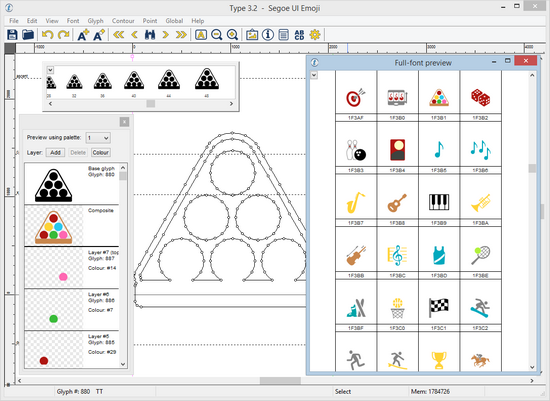
Create Windows 8.1 colour fonts (Windows only).
Full-font colour preview of Windows 8.1 colour fonts (Windows and Mac). -
Kerning
Add kerning pairs. Add all standard kerning pairs. Save and load kerning pairs.
Adjust kerning pairs visually with 'grab-and-drag'. -
OpenType features
Insert preset OpenType features (Standard ligatures, OpenType kerning, Ordinals, Swash, Small capitals, Slashed zero). Create your own OpenType features. -
Composite glyph creation
Auto-create all Latin accented characters.
User definable composite glyph creation (Greek extended as an example). -
Action scripts
Perform operations (eg bolden) on multiple glyphs, or all glyphs, with simple scripts. -
Glyph groups
Specify glyph groups: save glyphs, run actions, link group metrics, OpenType classes, class kerning.


Create an account or sign in to leave a review
There are no reviews to display.